
MarkItDown-MCP
MarkItDown-MCP is the MCP server in Microsoft's MarkItDown repository. Its `convert_to_markdown(uri)` tool converts local files, web pages, or data URIs into Markdown for LLM workflows.
Project overview
MarkItDown-MCP wraps Microsoft's document conversion utility as a local MCP server. An agent calls `convert_to_markdown(uri)` to turn supported files, Office documents, web pages, or other inputs into structured Markdown. It is useful for LLM ingestion, but its ability to read files accessible to the current user requires a narrow permission boundary.
Core capabilities
Convert files to Markdown
Converts supported local files or remote URIs to Markdown that preserves useful headings, lists, tables, and links.
Convert web and data URIs
Connects to a local MCP client through default STDIO.
Local STDIO connection
Offers optional Streamable HTTP or SSE while binding to localhost by default.
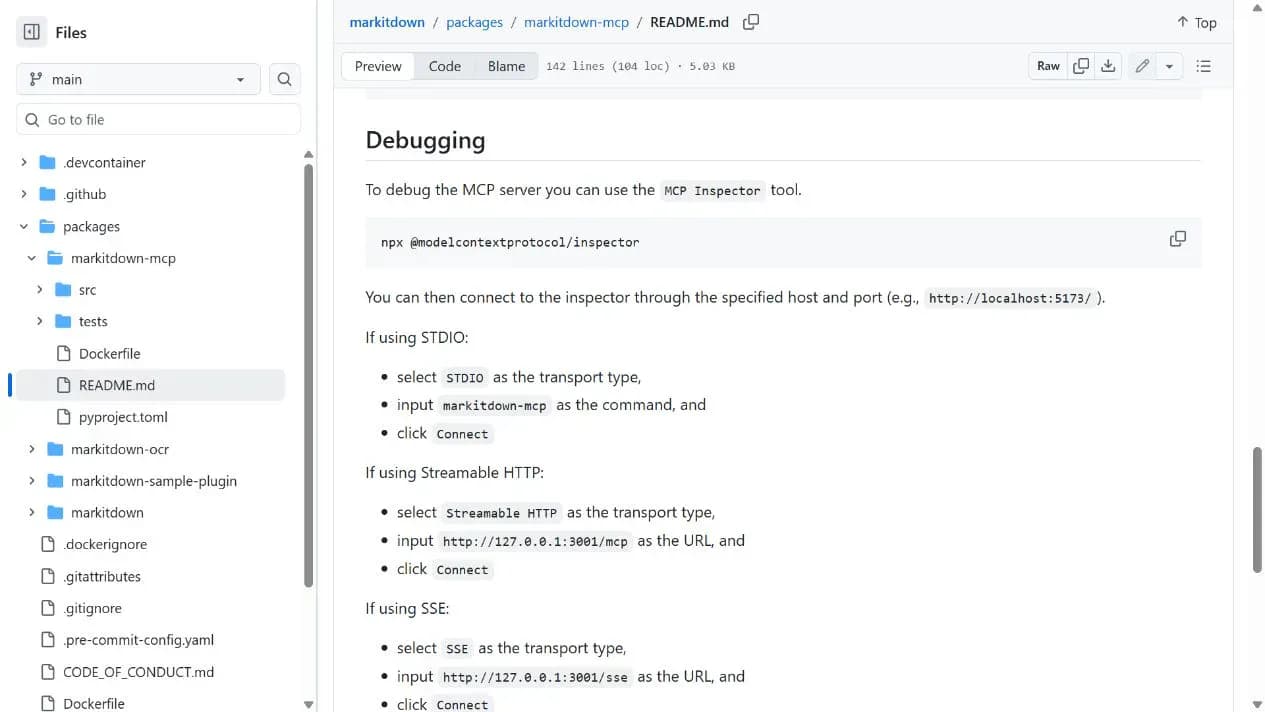
Debug with MCP Inspector
Uses MCP Inspector to list tools and invoke `convert_to_markdown` for a minimal check.
Setup and connection
Prefer a local Python virtual environment and STDIO. Give the server access to one test directory and convert a nonsensitive file before connecting real documents.
Let an AI Agent install it
Send this prompt to Codex, Claude Code, or another AI agent that can work with your local environment.
Help me install MarkItDown-MCP from https://github.com/microsoft/markitdown using the component README at https://github.com/microsoft/markitdown/blob/main/packages/markitdown-mcp/README.md. Read the component README, root README, and LICENSE first. Install `markitdown-mcp` in an isolated Python environment and prefer the STDIO command `markitdown-mcp`. Use only the nonsensitive test directory I specify and do not bind HTTP or SSE to a non-localhost interface. Ask before extra dependencies, other directories, authenticated URLs, network listeners, credentials, additional permissions, or file replacement. Finally, use MCP Inspector to list tools and convert one test file.- Python and pip
- An MCP client with STDIO support
- A nonsensitive test file
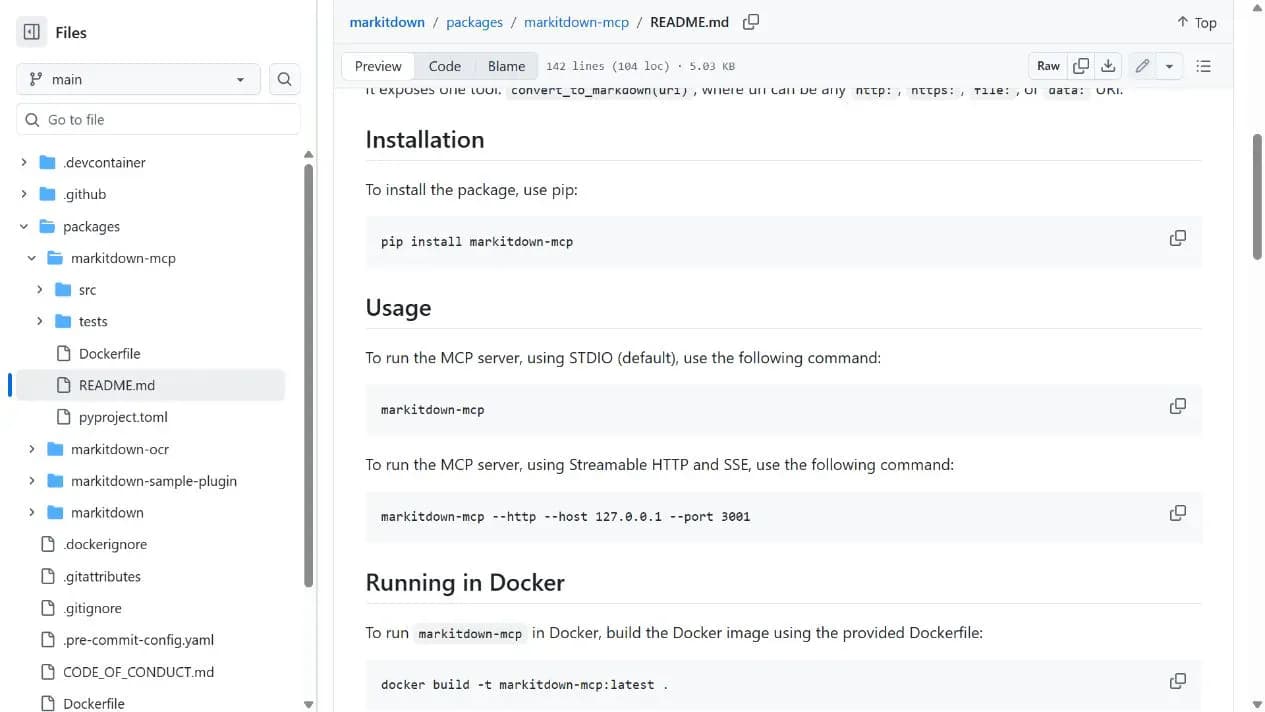
pip install markitdown-mcp- 1Create an isolated environment and install
Run `pip install markitdown-mcp` in an isolated Python environment.
- 2Configure local STDIO
Set the MCP client command to `markitdown-mcp` and leave HTTP/SSE disabled initially.
- 3Verify with a test file
Use MCP Inspector to list tools and call `convert_to_markdown` on a nonsensitive file.
Start `markitdown-mcp`, connect with MCP Inspector using STDIO and the `markitdown-mcp` command, list tools, and call `convert_to_markdown` on a test file. A structured Markdown result completes the check.
- Prefer STDIO and minimal file permissions
- Do not expose the unauthenticated server to an external network
Use cases
Let an agent read office files
Convert PDFs, Word, PowerPoint, or Excel content into LLM-friendly Markdown.
Normalize web pages and URIs
Convert public pages or other supported URIs into a consistent text structure.
Prepare local knowledge
Create Markdown for summarization, retrieval, or Q&A inside a restricted local directory.
Assessment
MarkItDown-MCP has a clear purpose, simple installation, a mature repository, and both STDIO and optional network transports. Its most important limitation is unauthenticated file access with current-user privileges, making it best suited to trusted local agents and restricted directories. This assessment uses the component README, root README, source structure, release, and MIT license without running a conversion.
Why it may be useful
- Simple installation command
- Useful document-to-Markdown workflow
- README clearly states local binding and file-access risks
What to know first
- Unauthenticated access to local files
- High-fidelity layout is not the goal
- No installation or functional test was performed
README
MarkItDown-MCP
Overview
MarkItDown-MCP is the MCP server in Microsoft's MarkItDown repository. Its `convert_to_markdown(uri)` tool converts local files, web pages, or data URIs into Markdown for LLM workflows. Python tool for converting files and office documents to Markdown.
Getting started
- Prefer a local Python virtual environment and STDIO. Give the server access to one test directory and convert a nonsensitive file before connecting real documents.
- The component exposes `convert_to_markdown(uri)` for `http:`, `https:`, `file:`, and `data:` URIs.
- Install with `pip install markitdown-mcp` and run `markitdown-mcp` for default STDIO.
- Start `markitdown-mcp`, connect with MCP Inspector using STDIO and the `markitdown-mcp` command, list tools, and call `convert_to_markdown` on a test file. A structured Markdown result completes the check.
Configuration
pip install markitdown-mcp