
OpenAI Cookbook Examples
The example collection from the official OpenAI Cookbook, covering prompt design, structured outputs, tool use, evaluation, and production patterns.
Project overview
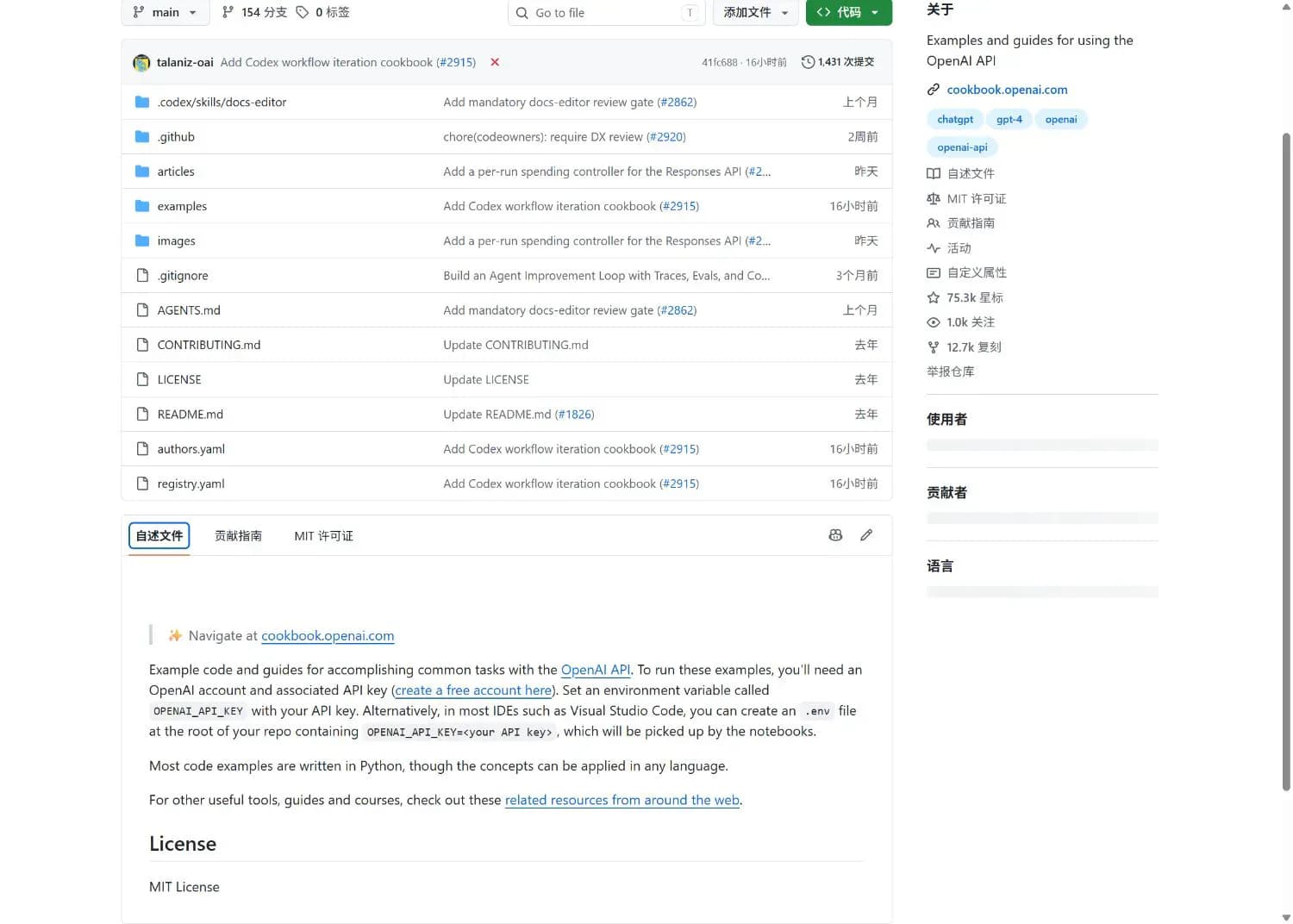
OpenAI Cookbook Examples is a prompt resource built around the example collection from the official OpenAI Cookbook, covering prompt design, structured outputs, tool use, evaluation, and production patterns. Its value is practical: learn prompt design and run api examples are available from one documented project, while the repository remains inspectable before it is added to an agent workflow.
Core capabilities
Learn prompt design
Learn prompt design is documented in the repository README or its component instructions. Review the linked source for current behavior and requirements.
Run API examples
Run API examples is documented in the repository README or its component instructions. Review the linked source for current behavior and requirements.
Implement tool calling
Implement tool calling is documented in the repository README or its component instructions. Review the linked source for current behavior and requirements.
Build evaluation workflows
Build evaluation workflows is documented in the repository README or its component instructions. Review the linked source for current behavior and requirements.
Access and usage
Set up OpenAI Cookbook Examples from its public GitHub instructions, keep the initial permission scope small, and verify it with a low-risk task before regular use.
Let an AI Agent install it
Send this prompt to Codex, Claude Code, or another AI agent that can work with your local environment.
Help me use OpenAI Cookbook Examples.
Project URL: https://github.com/openai/openai-cookbook
Component path: examples

Read the repository README and license first. Confirm the current host, prerequisites, destination paths, and permissions. Follow the repository's documented method, keep credentials out of files and logs, and start with the least-privilege or read-only option where available. Afterward, run a small verification and report the exact changes, commands, configuration path, and result. Ask before overwriting files or requesting broader access.- An OpenAI API account and API key
- Python and Jupyter
- Install dependencies required by the selected example
git clone https://github.com/openai/openai-cookbook.git- 1Review prerequisites and scope
Read the README, confirm the target host, and prepare these prerequisites: An OpenAI API account and API key; Python and Jupyter; Install dependencies required by the selected example. Check destination paths and permissions before making changes.
- 2Choose a relevant item
Run the documented command: git clone https://github.com/openai/openai-cookbook.git
- 3Verify with a small task
Open one recommended item from the repository, trace it back to its original source, and confirm that the instructions and license match the intended use.
Open one recommended item from the repository, trace it back to its original source, and confirm that the instructions and license match the intended use.
- Dependencies and model requirements vary by example
- Running examples can incur API usage charges
Use cases
Find implementation patterns for an OpenAI API project
Find implementation patterns for an OpenAI API project is a practical fit when the repository's documented prerequisites and permission model match the current environment.
Learn structured outputs and tool use
Learn structured outputs and tool use is a practical fit when the repository's documented prerequisites and permission model match the current environment.
Build prompt and model evaluations
Build prompt and model evaluations is a practical fit when the repository's documented prerequisites and permission model match the current environment.
Assessment
This assessment is based on the repository README, component documentation, license, and maintenance metadata. Examples map closely to real OpenAI API capabilities; Code and explanation are presented together. The main trade-offs are also clear: Dependencies and model requirements vary by example; Running examples can incur API usage charges. No local installation or functional test was claimed during cataloging.
Why it may be useful
- Examples map closely to real OpenAI API capabilities
- Code and explanation are presented together
What to know first
- Dependencies and model requirements vary by example
- Running examples can incur API usage charges
README
OpenAI Cookbook Examples
Overview
The example collection from the official OpenAI Cookbook, covering prompt design, structured outputs, tool use, evaluation, and production patterns. The example collection from the official OpenAI Cookbook, covering prompt design, structured outputs, tool use, evaluation, and production patterns.
Getting started
- Set up OpenAI Cookbook Examples from its public GitHub instructions, keep the initial permission scope small, and verify it with a low-risk task before regular use.
- The repository describes OpenAI Cookbook Examples as the example collection from the official OpenAI Cookbook, covering prompt design, structured outputs, tool use, evaluation, and production patterns.
- Its main capabilities include learn prompt design, run api examples, implement tool calling, build evaluation workflows. The documented facts include official openai project, notebook and code examples, prompting and api practices, mit license.
- Open one recommended item from the repository, trace it back to its original source, and confirm that the instructions and license match the intended use.
Configuration
git clone https://github.com/openai/openai-cookbook.git