
Claude Skills
Claude Skills is a cross-platform collection of hundreds of skills, agents, commands, and scripts spanning engineering, product, marketing, research, compliance, finance, and daily productivity.
Project overview
Claude Skills packages engineering, product, marketing, research, compliance, finance, and productivity methods as reusable agent skills, with installation or conversion paths for multiple hosts. It is useful when you want to select professional workflows from a broad catalog, but the entire repository should not be enabled blindly.
Core capabilities
Multi-domain skills catalog
Choose reusable workflows across engineering, product, marketing, research, compliance, and business domains.
Claude Code plugin installation
Provides a marketplace and domain-oriented installation for Claude Code.
Codex and multi-host support
Provides formats or installation scripts for Codex, Gemini CLI, Cursor, OpenCode, and other hosts.
Bundled Python tools and templates
Many skills include Python tools, references, templates, and verification guidance.
Installation and usage
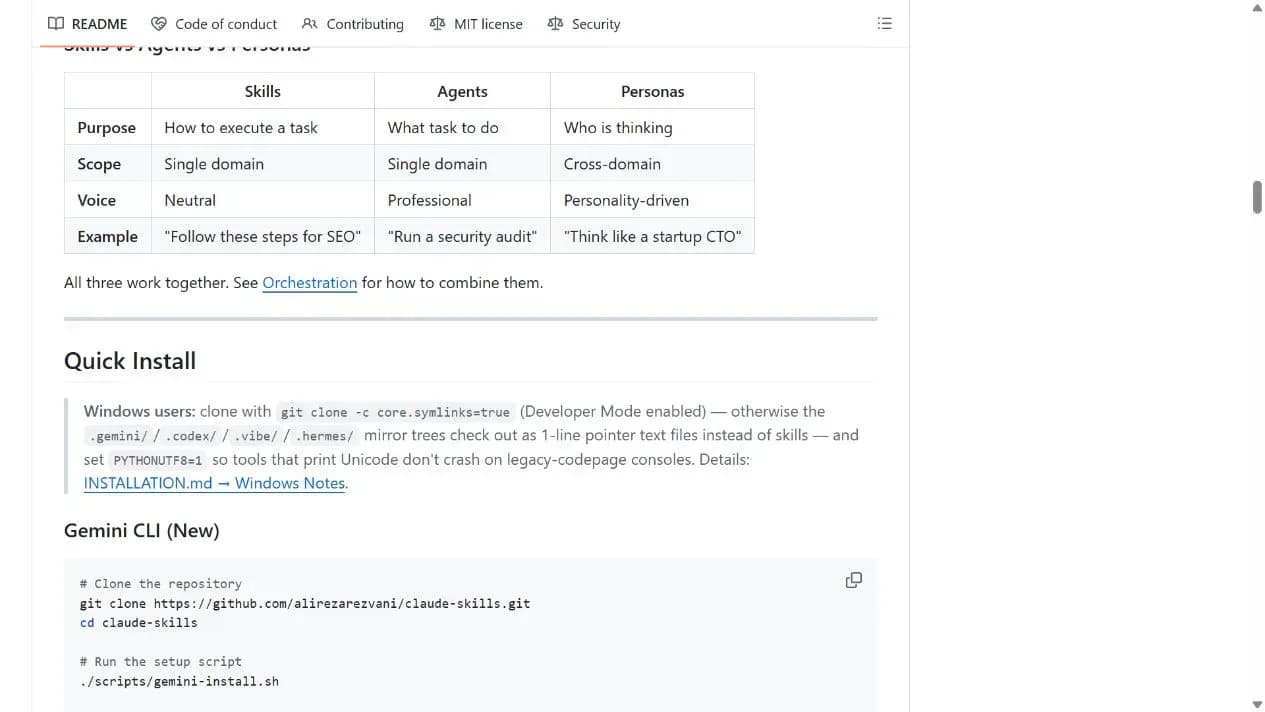
Choose one domain or a small set of skills, then use the repository's command for your host. Windows users should verify Developer Mode and symlink behavior first.
Let an AI Agent install it
Send this prompt to Codex, Claude Code, or another AI agent that can work with your local environment.
Help me install a small selection of skills from https://github.com/alirezarezvani/claude-skills for the current agent host. Read README.md, INSTALLATION.md, LICENSE, and each selected SKILL.md, scripts, and references first. Ask for my host and target domain; do not install the whole catalog by default. For Codex, use the documented `npx agent-skills-cli add alirezarezvani/claude-skills --agent codex` path. On Windows, check Developer Mode, symlinks, and UTF-8 requirements. Ask before downloading software, running scripts, writing global directories, requesting credentials or extra permissions, or replacing files. Verify each skill with a nonsensitive small task.- A supported agent host
- Node.js and npx for the Codex path
- Review symlink notes before using mirror directories on Windows
npx agent-skills-cli add alirezarezvani/claude-skills --agent codex- 1Choose a domain and host
Select a domain from Skills Overview and confirm whether you use Claude Code, Codex, Gemini CLI, or another host.
- 2Review components and boundaries
Read each selected SKILL.md, scripts, references, and host-specific installation notes.
- 3Install and verify individually
Run the host-specific command, enable only a small set of skills, and verify invocation and output with small tasks.
Confirm the selected skill appears in the host's skill directory, then explicitly invoke it on a nonsensitive minimal task. Verify that the expected SKILL.md was loaded and the output matches its documentation.
- Start with a small set and expand only when needed
- Do not ignore the Windows symlink warning
Use cases
Add professional workflows
Select existing skills for review, product planning, marketing, research, or operations.
Move workflows across hosts
Use similar methods in Codex, Claude Code, Gemini CLI, and other tools.
Study skill design
Review complex skills with scripts, references, and templates.
Assessment
The main value is breadth, active maintenance, multiple host paths, and coverage beyond engineering. The tradeoff is catalog size and host-specific differences, which require careful component selection. This assessment is based on the README, installation documentation, release, and license without executing a skill.
Why it may be useful
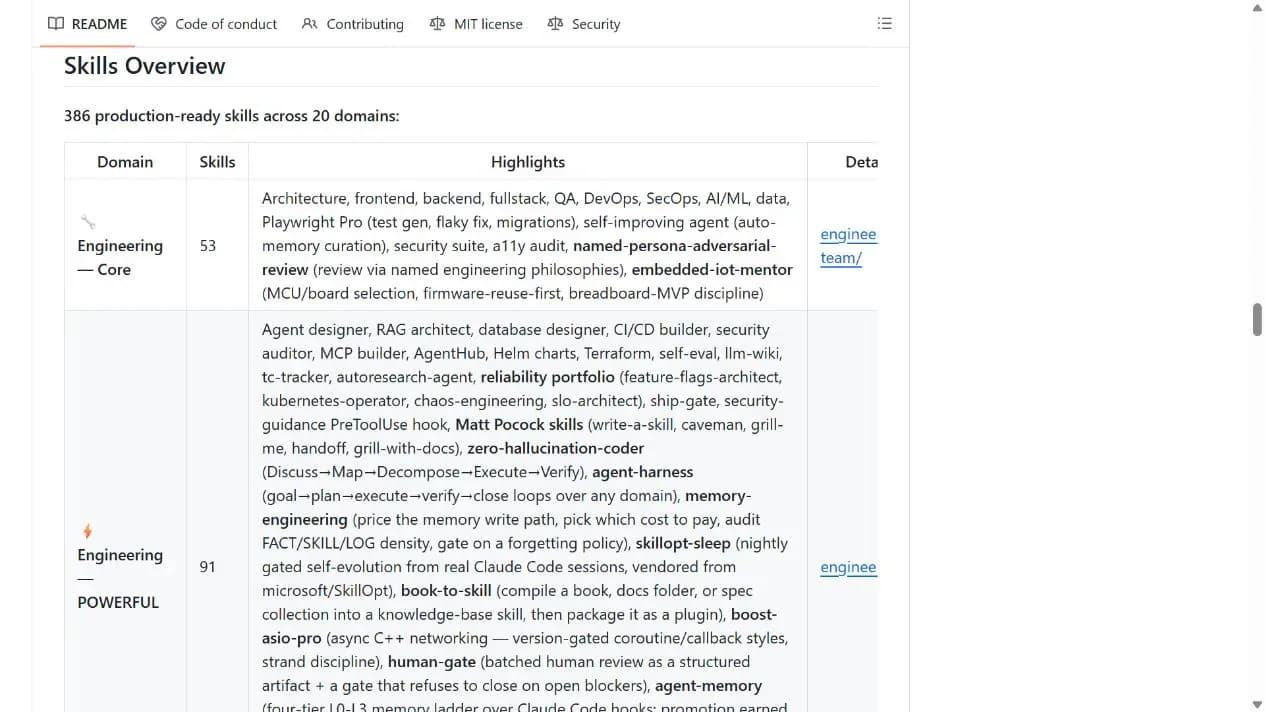
- Covers 20 domains
- Supports multiple agent hosts
- Includes scripts, templates, and references
What to know first
- Large catalog requires careful selection
- Host behavior is not identical
- No installation or functional test was performed
README
Claude Skills
Overview
Claude Skills is a cross-platform collection of hundreds of skills, agents, commands, and scripts spanning engineering, product, marketing, research, compliance, finance, and daily productivity. 380 Claude Code skills & agent skills & plugins for Claude Code, Codex, Gemini CLI, Cursor, and more coding agents.
Getting started
- Choose one domain or a small set of skills, then use the repository's command for your host. Windows users should verify Developer Mode and symlink behavior first.
- The current README lists 386 production-ready skills across 20 domains and distinguishes skills, agents, and personas.
- The documented Codex command is `npx agent-skills-cli add alirezarezvani/claude-skills --agent codex`.
- Confirm the selected skill appears in the host's skill directory, then explicitly invoke it on a nonsensitive minimal task. Verify that the expected SKILL.md was loaded and the output matches its documentation.
Configuration
npx agent-skills-cli add alirezarezvani/claude-skills --agent codex