
Claude Code Plugins Directory
Claude Code Plugins Directory is Anthropic's official marketplace repository for discovering and installing internal and partner plugins through Claude Code.
Project overview
This is the official marketplace repository for Claude Code plugins. Rather than providing one feature, it lets users discover development, review, output-style, MCP, and other extensions and install them through one consistent command. The directory does not replace a review of each plugin's source and permissions.
Core capabilities
Browse Claude Code plugins
Presents Claude Code plugins and their sources in one marketplace.
Install plugins by name
Installs one selected plugin with a standard marketplace command instead of copying the whole repository.
Access internal and partner plugins
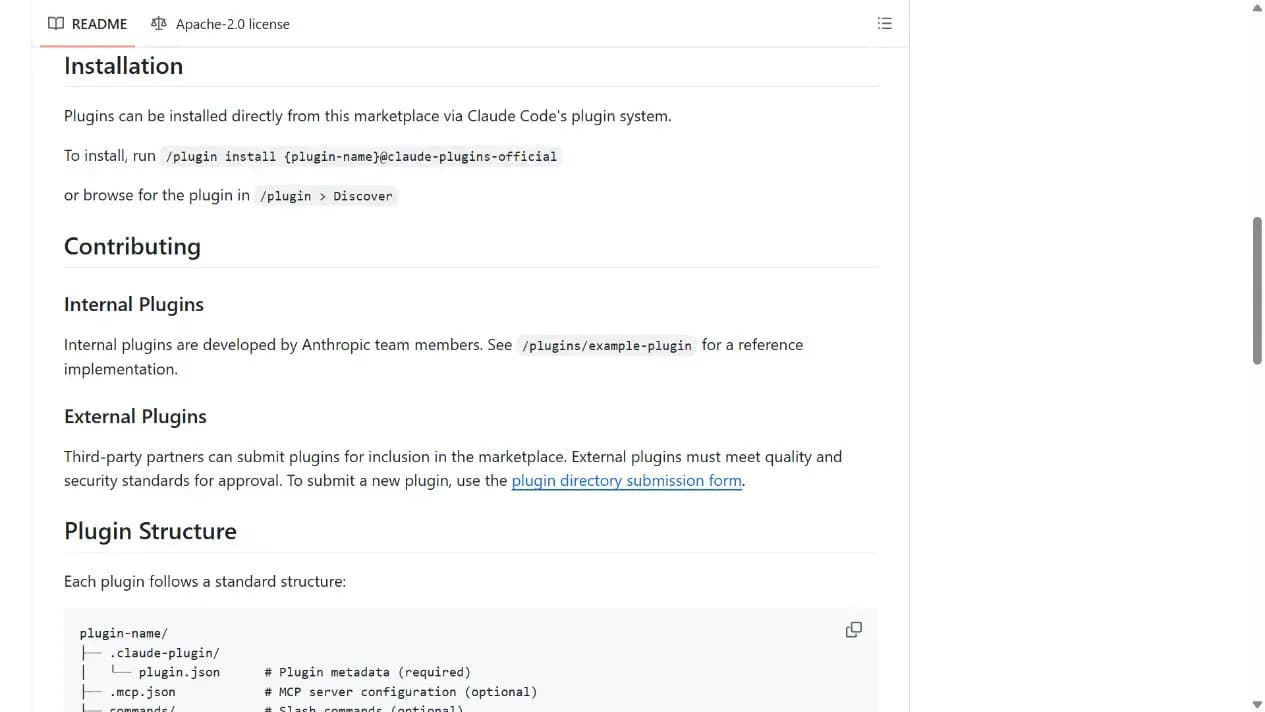
Documents standard locations for plugin metadata, commands, skills, agents, and MCP configuration.
Review the standard plugin structure
Includes both Anthropic-maintained plugins and external entries accepted through the directory process.
Installation and usage
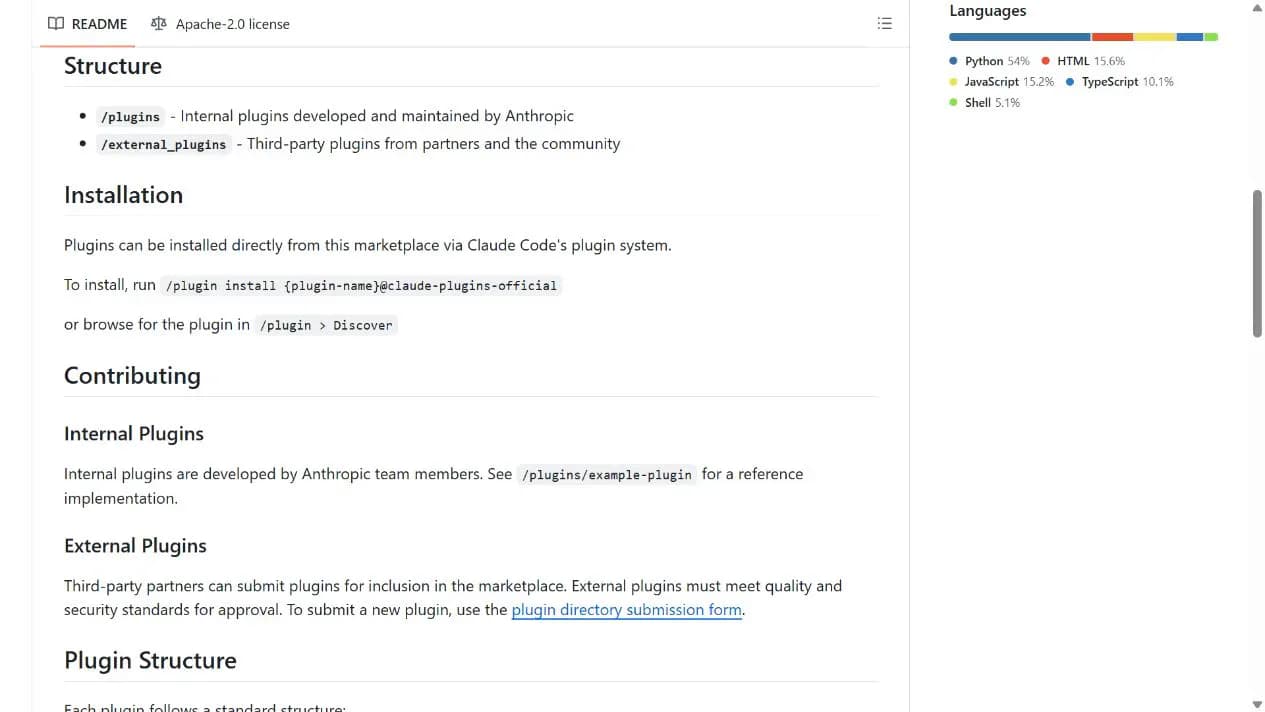
Choose one plugin from the repository or Claude Code Discover view, review its source and permissions, then install it with the documented command; do not install the whole directory blindly.
Let an AI Agent install it
Send this prompt to Codex, Claude Code, or another AI agent that can work with your local environment.
Help me install one Claude Code plugin from https://github.com/anthropics/claude-plugins-official. Ask which plugin I want, then read its README, plugin.json, LICENSE, and permission-related configuration. Explain any file, command, network, or MCP access and wait for my confirmation before running `/plugin install {plugin-name}@claude-plugins-official`. Verify it with the smallest documented example. Ask before login, credentials, extra permissions, software downloads, or file replacement.- A working Claude Code installation
- A specific plugin name
- GitHub access for reviewing plugin source
/plugin install {plugin-name}@claude-plugins-official- 1Choose a plugin
Find one plugin in the repository or `/plugin > Discover` and record its name, source, and homepage.
- 2Review source and permissions
Read the plugin README, manifest, LICENSE, and any MCP, hook, command, or script configuration.
- 3Install and verify
Run `/plugin install {plugin-name}@claude-plugins-official`, then execute the smallest verification task from its documentation.
Confirm the selected plugin appears in Claude Code's plugin list, then run the smallest command documented by that plugin. Treat it as usable only when the result matches its README.
- Directory inclusion is not a permanent guarantee of third-party behavior
- Install only the plugins you actually need
Use cases
Extend Claude Code
Add review, development workflow, output-style, or MCP capabilities as needed.
Study official structures
Use repository examples to understand manifests and plugin layouts.
Standardize team sources
Let a team select and review plugins from one directory instead of sharing unknown install snippets.
Assessment
The official ownership, public marketplace manifest, and consistent installation flow make this a valuable discovery entry for Claude Code users. Centralized structure is the main strength; the directory itself cannot guarantee that every third-party plugin remains safe or compatible. This assessment is based on the README, marketplace manifest, and license without installing a plugin.
Why it may be useful
- Maintained by Anthropic
- Consistent discovery and installation flow
- README explicitly states third-party trust boundaries
What to know first
- No individual plugin was installed
- Limited to the Claude Code plugin ecosystem
- Third-party capabilities and permissions require individual review
README
Claude Code Plugins Directory
Overview
Claude Code Plugins Directory is Anthropic's official marketplace repository for discovering and installing internal and partner plugins through Claude Code. Official, Anthropic-managed directory of high quality Claude Code Plugins.
Getting started
- Choose one plugin from the repository or Claude Code Discover view, review its source and permissions, then install it with the documented command; do not install the whole directory blindly.
- The repository separates Anthropic-maintained `plugins/` from partner and community entries under `external_plugins/`.
- Install with `/plugin install {plugin-name}@claude-plugins-official` or browse through `/plugin > Discover`.
- Confirm the selected plugin appears in Claude Code's plugin list, then run the smallest command documented by that plugin. Treat it as usable only when the result matches its README.
Configuration
/plugin install {plugin-name}@claude-plugins-official