
DBHub
Bytebase’s open-source database MCP server connects six database engines and exposes object discovery and SQL execution over stdio or HTTP.
Project overview
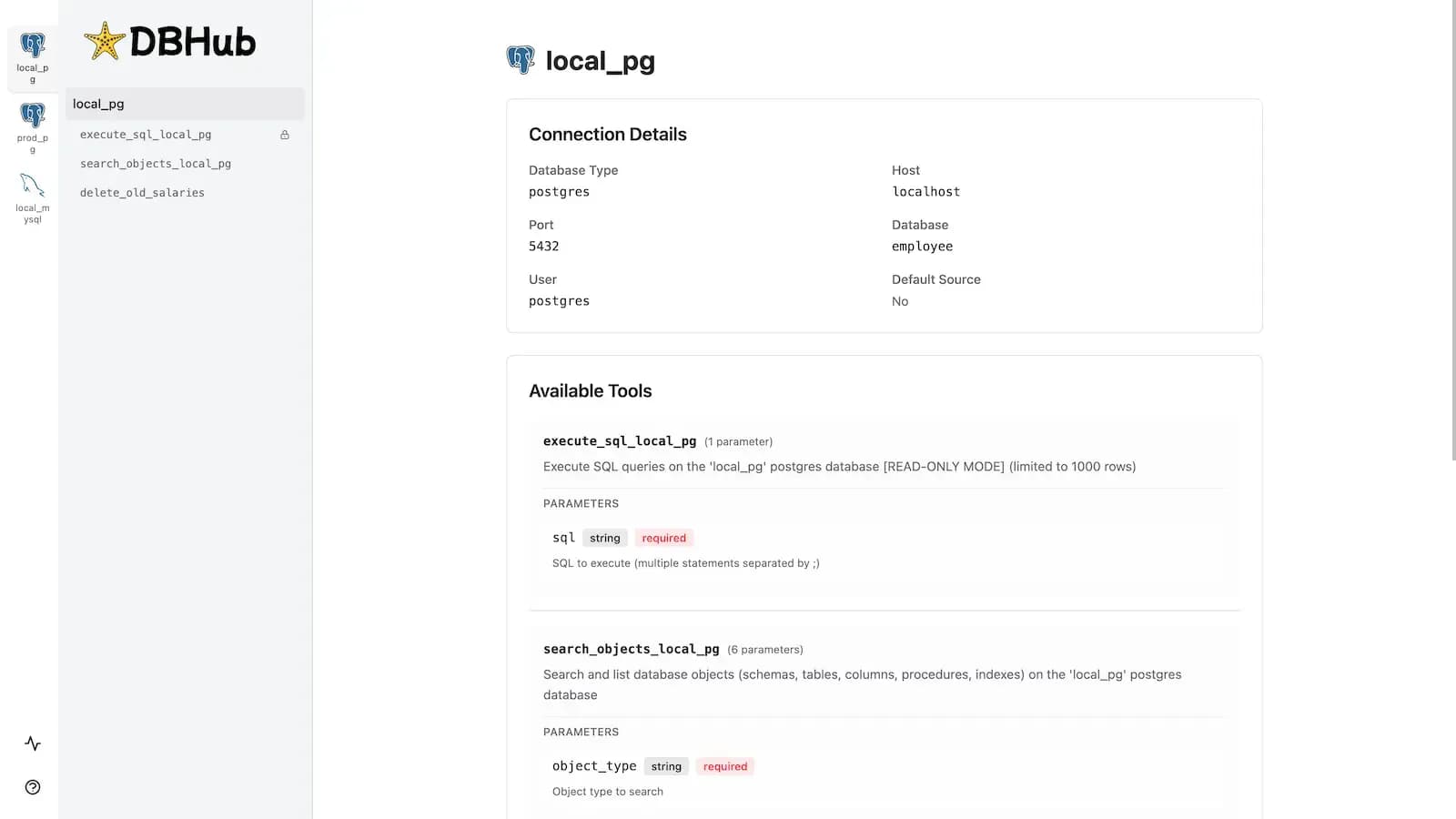
DBHub is Bytebase’s open-source database MCP server. It lets MCP clients discover database objects and execute SQL across PostgreSQL, MySQL, MariaDB, SQL Server, Oracle, and SQLite. Run it over stdio for a local client or HTTP for an MCP endpoint and Workbench. Start with the built-in employee demo database, then use a least-privilege account and explicit tool restrictions for real data.
Core capabilities
Explore database objects
search_objects finds tables, views, columns, and other objects with configurable detail levels.
Run SQL
execute_sql runs queries and can also execute writes unless read-only restrictions are configured.
Connect several database engines
The docs list PostgreSQL, MySQL, MariaDB, SQL Server, Oracle, and SQLite, with TOML configuration for multiple sources.
Set access and result boundaries
TOML supports per-tool readonly and max_rows settings, while HTTP bearer-token authentication is optional and must be configured.
Setup and connection
Run the bundled SQLite demo with Node.js 22.5+ and connect it to Codex using the documented command. For a real database, use a least-privilege account and configure read-only execution and row limits in TOML.
Let an AI Agent install it
Send this prompt to Codex, Claude Code, or another AI agent that can work with your local environment.
Help me try the DBHub database MCP server at https://github.com/bytebase/dbhub. First read README.md, docs/installation.mdx, docs/config/command-line.mdx, docs/config/toml.mdx, and docs/tools/execute-sql.mdx. Check for Node.js 22.5 or newer. Connect only to the bundled demo database first, using the documented local HTTP command or Codex demo MCP registration. Verify startup, /healthz, and search_objects. Report the actual version, commands run, configuration changes, and verification results. Before connecting a real database, ask me about credential handling, database account permissions, whether writes are allowed, network exposure, and config file location. Also ask before requesting extra permissions or overwriting files. Keep passwords out of shell commands and the repository.- Node.js 22.5 or newer with npm/npx, or the official Docker image
- An available local port 8080; demo mode needs no database credentials
- A separate least-privilege account and network access when connecting a real database
npx @bytebase/dbhub@1.3.0 --transport http --host 127.0.0.1 --port 8080 --demo- 1Start the local demo server
Check for Node.js 22.5+ and run `npx @bytebase/dbhub@1.3.0 --transport http --host 127.0.0.1 --port 8080 --demo`. The demo uses an in-memory SQLite employee database and needs no real credentials.
- 2Check Workbench and health
Open http://127.0.0.1:8080/ for Workbench and http://127.0.0.1:8080/healthz for an OK response. The HTTP MCP endpoint is /mcp.
- 3Connect Codex to the demo
For a Codex trial, run the documented `codex mcp add dbhub -- npx @bytebase/dbhub@1.3.0 --transport stdio --demo` command and ask the client to find tables with search_objects. This command creates a Codex MCP configuration entry.
- 4Restrict access before connecting real data
Create a least-privilege database account. Define a connection in dbhub.toml under [[sources]] and set name="execute_sql", source, readonly=true, and max_rows in the matching [[tools]], then load it with --config. Keep passwords out of public files.
After the demo command, look for v1.3.0 [DEMO] and HTTP server listening. Open http://127.0.0.1:8080/ or request /healthz; after registering it with Codex, find demo tables with search_objects. This page verified v1.3.0 startup and an OK /healthz response on Node.js 24.14.0, but did not test a real database.
- The demo command binds HTTP to 127.0.0.1 explicitly; the documented HTTP default is 0.0.0.0.
- execute_sql is writable by default for real databases. Configure readonly=true and max_rows under TOML [[tools]], and also restrict the database account.
- This page verified v1.3.0. Pin a version you have tested before production use.
Use cases
Help an agent understand a schema
Use search_objects to find tables, views, and columns without pasting an entire schema into the conversation.
Explore SQL in a test database
Run SQL against an authorized test database, with row limits and query timeouts to control response size.
Connect multiple databases through one server
Define separate connections and tool settings in TOML for one MCP server to expose.
Assessment
The README, installation guide, and configuration docs show a direct path from database discovery to SQL execution, with a bundled demo for checking a client connection. This page verified v1.3.0 startup and the HTTP health endpoint with demo SQLite only; it did not connect a real database. Before production use, review writable SQL defaults, HTTP binding and authentication, and database account privileges.
Why it may be useful
- Supports six database engines with stdio and HTTP connection paths.
- A bundled demo and Workbench make the workflow easy to inspect before adding credentials.
- TOML supports multiple sources, read-only settings, row limits, and custom tools.
What to know first
- execute_sql permits writes by default; read-only and row limits must be configured.
- HTTP listens on all interfaces by default, with authentication disabled unless configured.
- There are no built-in enterprise approvals, data masking, access controls, or audit logs; real-database behavior was not tested here.
README
DBHub
Overview
Bytebase’s open-source database MCP server connects six database engines and exposes object discovery and SQL execution over stdio or HTTP. Token conscious database MCP server for Postgres, MySQL, SQL Server, Oracle, MariaDB, SQLite.
Getting started
- Run the bundled SQLite demo with Node.js 22.5+ and connect it to Codex using the documented command. For a real database, use a least-privilege account and configure read-only execution and row limits in TOML.
- The default tools are execute_sql and search_objects; optional tools include explain_sql, health_check, and parameterized custom SQL tools configured in TOML.
- DBHub supports stdio and Streamable HTTP. HTTP mode serves a Workbench page and an /mcp endpoint.
- After the demo command, look for v1.3.0 [DEMO] and HTTP server listening. Open http://127.0.0.1:8080/ or request /healthz; after registering it with Codex, find demo tables with search_objects. This page verified v1.3.0 startup and an OK /healthz response on Node.js 24.14.0, but did not test a real database.
Configuration
npx @bytebase/dbhub@1.3.0 --transport http --host 127.0.0.1 --port 8080 --demo