
dsh-TUI
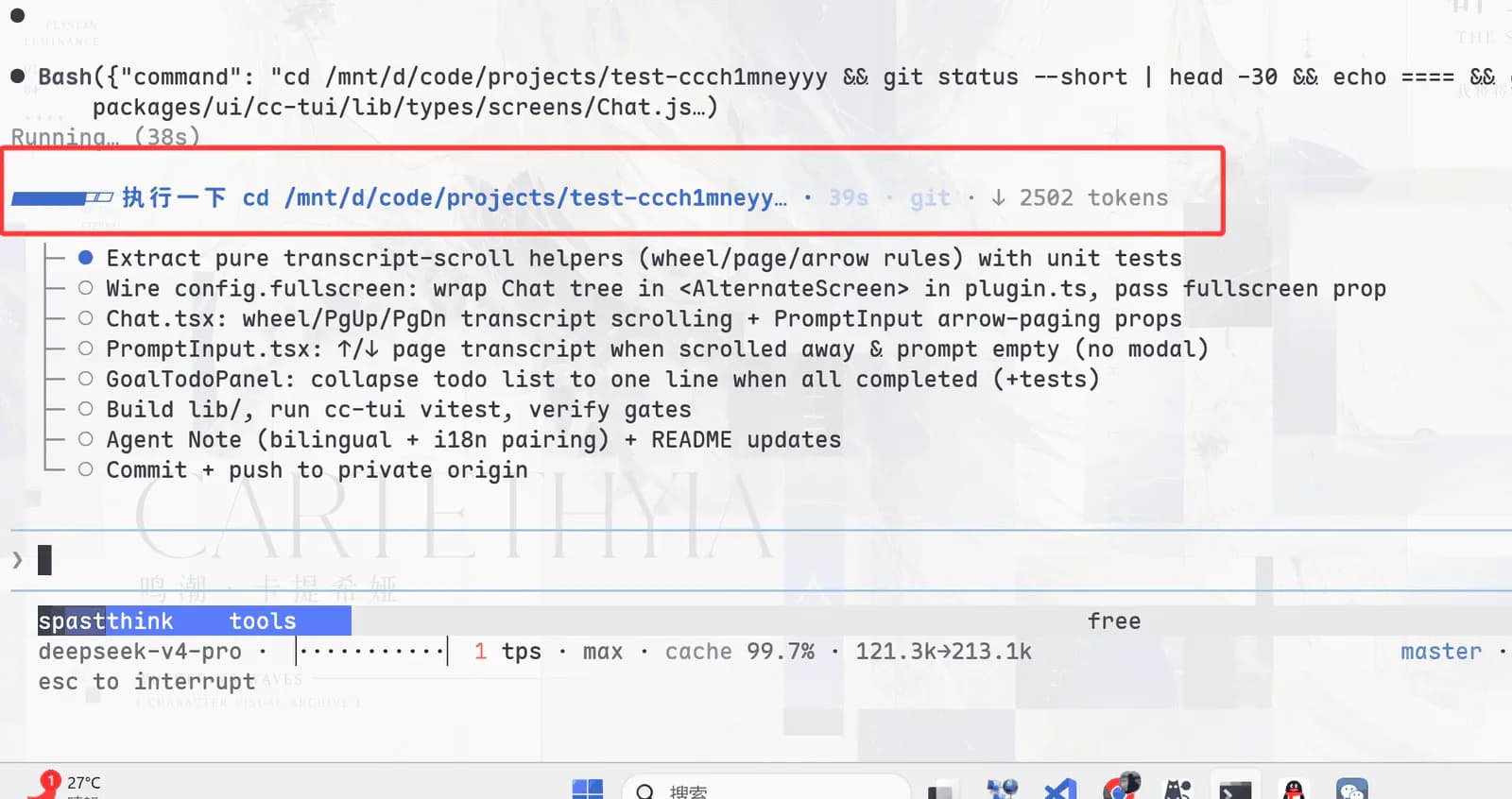
Add a full-screen terminal interface to DeepSeek Harness with streaming thoughts, tool cards, context progress, TPS, session actions, and rollback.
Project overview
Add a full-screen terminal interface to DeepSeek Harness with streaming thoughts, tool cards, context progress, TPS, session actions, and rollback.
Core capabilities
Stream model thoughts and replies in the terminal
Stream model thoughts and replies in the terminal. This capability is documented in the repository README and still requires verification against the target DSH version and profile.
Render execution state as tool cards
Render execution state as tool cards. This capability is documented in the repository README and still requires verification against the target DSH version and profile.
Show context progress and TPS
Show context progress and TPS. This capability is documented in the repository README and still requires verification against the target DSH version and profile.
Resume sessions and roll back with double Escape
Resume sessions and roll back with double Escape. This capability is documented in the repository README and still requires verification against the target DSH version and profile.
Installation and usage
Install in DeepSeek Harness, reload the target environment as documented, and verify it with a low-risk scenario.
Let an AI Agent install it
Send this prompt to Codex, Claude Code, or another AI agent that can work with your local environment.
Help me install dsh-TUI from https://github.com/ccch1mneyyy/dsh-TUI. Read the README, license, and installation files first. Confirm the current DeepSeek Harness version, target profile, and required dependencies. Use the repository's current command `npm install -g @deepseek-ai/dsh @deepseek-harness-tui/dsh-tui`. Explain the profile, paths, and permissions that will change before running it. Follow the repository verification steps and report commands, changed locations, and visible results. Ask before requesting credentials, enabling extra network access or build scripts, overwriting files, or expanding permissions.- An interactive terminal TTY
- The official dsh CLI
- pnpm 10 or later
- DEEPSEEK_API_KEY for model execution
npm install -g @deepseek-ai/dsh @deepseek-harness-tui/dsh-tui- 1Check the environment and target profile
An interactive terminal TTY; The official dsh CLI; pnpm 10 or later; DEEPSEEK_API_KEY for model execution. Record the current configuration and installed plugins before changing anything.
- 2Run the current repository command
Run the following command. `npm install -g @deepseek-ai/dsh @deepseek-harness-tui/dsh-tui` Stop and ask before enabling build scripts, providing credentials, or overwriting files.
- 3Reload and verify
Run `dsh-tui`, confirm that the dsh-tui profile initializes, and check for the whale header, status line, and an interactive session prompt.
Run `dsh-tui`, confirm that the dsh-tui profile initializes, and check for the whale header, status line, and an interactive session prompt.
- Requires a real TTY rather than a plain log pipe
- Initial profile setup depends on pnpm
- Terminal shortcuts can be intercepted by the operating system or terminal app
Use cases
Use DSH from a server or remote terminal
Start with a minimal dsh-TUI scope in this scenario, then expand only after checking output, permissions, and compatibility.
Run long keyboard-driven coding sessions
Start with a minimal dsh-TUI scope in this scenario, then expand only after checking output, permissions, and compatibility.
Monitor context use and tool execution state
Start with a minimal dsh-TUI scope in this scenario, then expand only after checking output, permissions, and compatibility.
Assessment
This assessment is based on the repository README, installation instructions, license, and maintenance metadata. Adds a terminal-first DSH workflow; Combines context, throughput, and tool state in one view; Supports session resume and rollback. Requires a real TTY rather than a plain log pipe; Initial profile setup depends on pnpm; Terminal shortcuts can be intercepted by the operating system or terminal app. No local installation or long-term use is claimed.
Why it may be useful
- Adds a terminal-first DSH workflow
- Combines context, throughput, and tool state in one view
- Supports session resume and rollback
What to know first
- Requires a real TTY rather than a plain log pipe
- Initial profile setup depends on pnpm
- Terminal shortcuts can be intercepted by the operating system or terminal app
README
dsh-TUI
Overview
Add a full-screen terminal interface to DeepSeek Harness with streaming thoughts, tool cards, context progress, TPS, session actions, and rollback. Add a full-screen terminal interface to DeepSeek Harness with streaming thoughts, tool cards, context progress, TPS, session actions, and rollback.
Getting started
- Install in DeepSeek Harness, reload the target environment as documented, and verify it with a low-risk scenario.
- Add a full-screen terminal interface to DeepSeek Harness with streaming thoughts, tool cards, context progress, TPS, session actions, and rollback.
- The repository documents these main capabilities: Stream model thoughts and replies in the terminal, Render execution state as tool cards, Show context progress and TPS, Resume sessions and roll back with double Escape.
- Run `dsh-tui`, confirm that the dsh-tui profile initializes, and check for the whale header, status line, and an interactive session prompt.
Configuration
npm install -g @deepseek-ai/dsh @deepseek-harness-tui/dsh-tui