
Chrome DevTools MCP
An MCP server that connects agents to Chrome DevTools for page debugging, performance analysis, network inspection, and browser automation.
Project overview
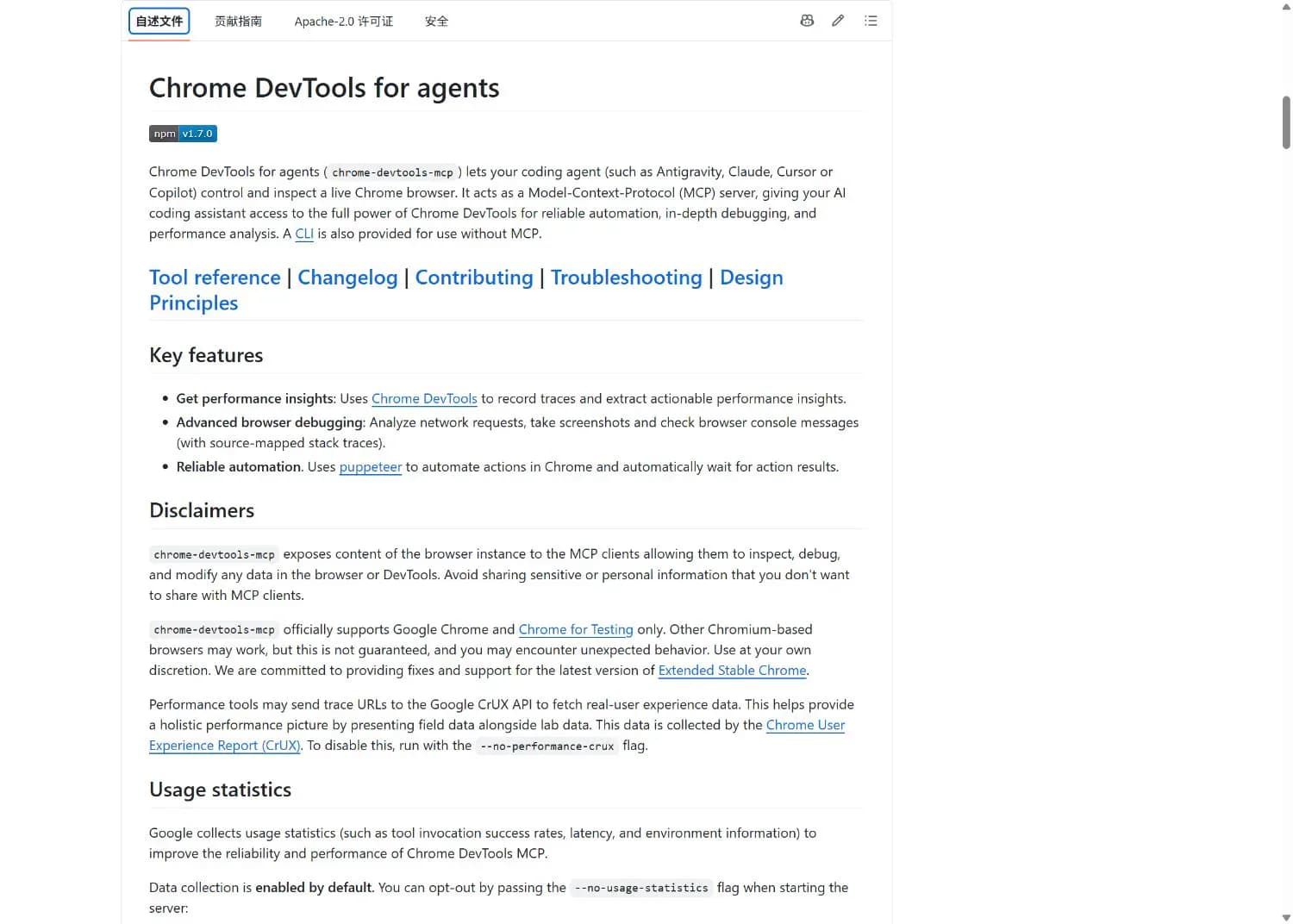
Chrome DevTools MCP is a MCP server built around an MCP server that connects agents to Chrome DevTools for page debugging, performance analysis, network inspection, and browser automation. Its value is practical: control chrome pages and analyze page performance are available from one documented project, while the repository remains inspectable before it is added to an agent workflow.
Core capabilities
Control Chrome pages
Control Chrome pages is documented in the repository README or its component instructions. Review the linked source for current behavior and requirements.
Analyze page performance
Analyze page performance is documented in the repository README or its component instructions. Review the linked source for current behavior and requirements.
Inspect network requests
Inspect network requests is documented in the repository README or its component instructions. Review the linked source for current behavior and requirements.
Read console and page state
Read console and page state is documented in the repository README or its component instructions. Review the linked source for current behavior and requirements.
Setup and connection
Set up Chrome DevTools MCP from its public GitHub instructions, keep the initial permission scope small, and verify it with a low-risk task before regular use.
Let an AI Agent install it
Send this prompt to Codex, Claude Code, or another AI agent that can work with your local environment.
Help me set up Chrome DevTools MCP.
Project URL: https://github.com/ChromeDevTools/chrome-devtools-mcp

Read the repository README and license first. Confirm the current host, prerequisites, destination paths, and permissions. Follow the repository's documented method, keep credentials out of files and logs, and start with the least-privilege or read-only option where available. Afterward, run a small verification and report the exact changes, commands, configuration path, and result. Ask before overwriting files or requesting broader access.- Node.js LTS
- Stable Chrome
- An MCP host with stdio configuration support
{"mcpServers":{"chrome-devtools":{"command":"npx","args":["-y","chrome-devtools-mcp@latest"]}}}- 1Review prerequisites and scope
Read the README, confirm the target host, and prepare these prerequisites: Node.js LTS; Stable Chrome; An MCP host with stdio configuration support. Check destination paths and permissions before making changes.
- 2Apply the documented setup
Run the documented command: npx -y chrome-devtools-mcp@latest
- 3Verify with a small task
Restart the MCP host and confirm that Chrome DevTools MCP appears in the server list. Call one low-risk read-only tool and check that it returns an expected result without authentication errors.
Restart the MCP host and confirm that Chrome DevTools MCP appears in the server list. Call one low-risk read-only tool and check that it returns an expected result without authentication errors.
- The agent can read and control browser content, so sensitive sessions need care
- Anonymous usage statistics are on by default and can be disabled with --no-usage-statistics
Use cases
Diagnose page loading and interaction problems
Diagnose page loading and interaction problems is a practical fit when the repository's documented prerequisites and permission model match the current environment.
Run performance audits with an agent
Run performance audits with an agent is a practical fit when the repository's documented prerequisites and permission model match the current environment.
Inspect console and network errors
Inspect console and network errors is a practical fit when the repository's documented prerequisites and permission model match the current environment.
Assessment
This assessment is based on the repository README, component documentation, license, and maintenance metadata. Brings browser developer tools into the agent workflow; A single npx command keeps initial setup small. The main trade-offs are also clear: The agent can read and control browser content, so sensitive sessions need care; Anonymous usage statistics are on by default and can be disabled with --no-usage-statistics. No local installation or functional test was claimed during cataloging.
Why it may be useful
- Brings browser developer tools into the agent workflow
- A single npx command keeps initial setup small
What to know first
- The agent can read and control browser content, so sensitive sessions need care
- Anonymous usage statistics are on by default and can be disabled with --no-usage-statistics
README
Chrome DevTools MCP
Overview
An MCP server that connects agents to Chrome DevTools for page debugging, performance analysis, network inspection, and browser automation. An MCP server that connects agents to Chrome DevTools for page debugging, performance analysis, network inspection, and browser automation.
Getting started
- Set up Chrome DevTools MCP from its public GitHub instructions, keep the initial permission scope small, and verify it with a low-risk task before regular use.
- The repository describes Chrome DevTools MCP as an MCP server that connects agents to Chrome DevTools for page debugging, performance analysis, network inspection, and browser automation.
- Its main capabilities include control chrome pages, analyze page performance, inspect network requests, read console and page state. The documented facts include built on chrome devtools, runs through npx, performance and network analysis, anonymous usage statistics enabled by default.
- Restart the MCP host and confirm that Chrome DevTools MCP appears in the server list. Call one low-risk read-only tool and check that it returns an expected result without authentication errors.
Configuration
{"mcpServers":{"chrome-devtools":{"command":"npx","args":["-y","chrome-devtools-mcp@latest"]}}}