
ffmpeg-skill
ffmpeg-skill gives Claude Code, Cursor, Codex, and other AI agents 42 local FFmpeg tools for probing, editing, captions, audio, delivery, and output verification.
Project overview
ffmpeg-skill is a local video and audio processing skill for coding agents. It packages 42 FFmpeg operations as Python tools with typed arguments, a machine-readable contract, and consistent JSON results. The workflow tells an agent to probe the input first, edit it, check the result, and generate a contact sheet when the picture changes. It installs into Claude Code, Cursor, or Codex and also ships a stdio MCP server. Core processing does not upload media to a cloud service, but this listing did not install the project or run it on real footage.
Core capabilities
Probe-first media editing
probe.py measures duration, frame rate, resolution, color, and audio streams before cut, fit, caption, audio, or export tools are selected, reducing guesses based on a filename.
Forty-two structured tools and one contract
Each argparse definition produces its input_schema, and contract --json plus MCP tools/list share that source so the CLI, contract, and MCP surface are less likely to drift.
Technical checks and visual review
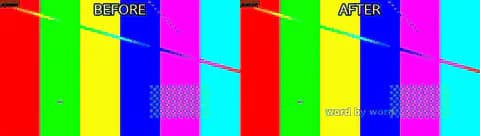
Results can be checked with probe, check, and look.py. look.py only renders a contact sheet; a vision-capable agent or person must interpret the frames.
Installation and usage
Check Python, FFmpeg, and the target agent, then use npx to copy the skill into the appropriate directory. Run doctor to inspect the local FFmpeg build, read the contract, and validate a small duplicate media file without overwriting the original.
Let an AI Agent install it
Send this prompt to Codex, Claude Code, or another AI agent that can work with your local environment.
Install ffmpeg-skill for me from https://github.com/kajisho5/ffmpeg-skill . First read the pinned README.md, SKILL.md, SECURITY.md, and LICENSE. Confirm whether the target is Claude Code, Cursor, Codex, or multiple clients, and check FFmpeg 5.0+, ffprobe, Python 3.9+, and Node.js 16+. Run the documented npx ffmpeg-skill command with --cursor, --codex, or --all only when it matches the target; do not guess paths. After installation, run npx ffmpeg-skill doctor and npx ffmpeg-skill contract --json. Use --dry-run on a small duplicate media file that I explicitly authorize, confirm that the output is a new file, and verify it with probe, check, and look. Ask before overwriting files, writing into a project directory, installing another FFmpeg build, downloading a transcription model, enabling hardware encoding, or changing MCP configuration.- FFmpeg 5.0+ and ffprobe on PATH. On macOS, follow the repository's ffmpeg-full guidance when subtitle and color features are needed.
- Python 3.9+. The project recommends 3.10+ and says version 3.0 will drop Python 3.9.
- Node.js 16+ when using the npx installer. Manual copying and the Claude plugin installation do not require Node.js.
- A small test-media copy that the agent may read and use to create derived files. Do not use the only copy of important footage for the first run.
npx ffmpeg-skill- 1Install for the target agent
Run npx ffmpeg-skill for Claude Code, add --cursor for Cursor, --codex for Codex, or --all for all three. The installer copies the skill, scripts, references, and MCP files.
- 2Inspect local capabilities
Run npx ffmpeg-skill doctor. Do not stop at the overall ok value; confirm that intended tools such as caption, color, and export are usable in the tools field.
- 3Preview before execution
Have the agent probe the input and use --dry-run for a writing tool on a media copy. Review the output path, transcode plan, and capability requirements before removing --dry-run.
- 4Verify the new output
Use probe.py and check.py for technical properties. When the picture changed, generate a contact sheet with look.py and have a vision-capable agent or person inspect captions, crops, and safe zones.
Run npx ffmpeg-skill doctor and inspect both the overall state and each intended tool's usable, missing, and fix fields. Then run npx ffmpeg-skill contract --json. Start with --dry-run on an authorized media copy, review the command, output path, and capabilities, then execute and check the result with probe.py, check.py, and look.py. This listing did not perform those steps for you.
- Re-run npx ffmpeg-skill to refresh an installed copy; installed files are not updated automatically.
- An overall doctor result of ok does not mean every tool is usable. Inspect doctor --json's tools field.
- --dry-run does not make FFmpeg parse the filter graph and does not verify an output; it is a plan-review step.
- MCP exposes only 12 core tools in tools/list by default, although the remaining tools can still be called by name.
Use cases
Vertical video and captions
Probe landscape footage, crop or pad it to 9:16, burn captions, normalize loudness, and export with checks for Reels, TikTok, or Shorts.
Interview and podcast post-production
Cut time ranges, remove silence, replace or clean an audio track, normalize loudness, and produce chapters, an audiogram, or podcast delivery checks.
Reviewable batch processing
Use batch.py or a render project across a folder while retaining dry runs, fingerprinted plans, caching, JSON results, and timeouts for review.
Assessment
This assessment is based on the README, SKILL.md, installation and MCP documentation, MIT license, security policy, v2.12.0 release notes, recent commits, and directory structure. ffmpeg-skill was not installed or run on real media for this listing. Its main value is constraining FFmpeg work to structured scripts and making probing, explicit overwrite consent, diagnostics, and verification part of the workflow. It still depends on the local FFmpeg build and cannot replace human judgment about picture content or aesthetics.
Why it may be useful
- Installation paths cover Claude Code, Cursor, and Codex, with manual-copy and MCP alternatives
- The contract, CLI, and MCP schemas derive from one argument source, and documentation exposes failures and degraded results in detail
- The repository includes an MIT license, private vulnerability reporting, frequent releases, cross-platform tests, and reproducible synthetic demos
What to know first
- Differences between FFmpeg builds can make caption, color, or encoding tools unavailable
- Visual contact sheets require interpretation by the calling agent or a person; the project does not identify faces, subjects, or semantic highlights
- The full real-device corpus has not been reproduced on Windows, and the implemented GPU path is primarily Apple VideoToolbox
README
ffmpeg-skill
Overview
ffmpeg-skill gives Claude Code, Cursor, Codex, and other AI agents 42 local FFmpeg tools for probing, editing, captions, audio, delivery, and output verification. Lets coding agents edit local video with FFmpeg, including captions, reframing, loudness, and platform exports, through a machine-readable contract and MCP server.
Getting started
- Check Python, FFmpeg, and the target agent, then use npx to copy the skill into the appropriate directory. Run doctor to inspect the local FFmpeg build, read the contract, and validate a small duplicate media file without overwriting the original.
- The project ships 42 Python-standard-library tools covering probing, cutting, joining, silence handling, captions, overlays, color, audio, sync, multicam, export, and delivery checks.
- Writing tools support --dry-run, --json, --plan, --timeout, and explicit --overwrite. Input files are not overwritten in place.
- Run npx ffmpeg-skill doctor and inspect both the overall state and each intended tool's usable, missing, and fix fields. Then run npx ffmpeg-skill contract --json. Start with --dry-run on an authorized media copy, review the command, output path, and capabilities, then execute and check the result with probe.py, check.py, and look.py. This listing did not perform those steps for you.
Configuration
npx ffmpeg-skill