
REA (Reverse Engineer Anything)
REA connects local analysis of binaries, JavaScript applications, and other targets to MCP-capable agents, returning evidence and explicit unknowns.
Project overview
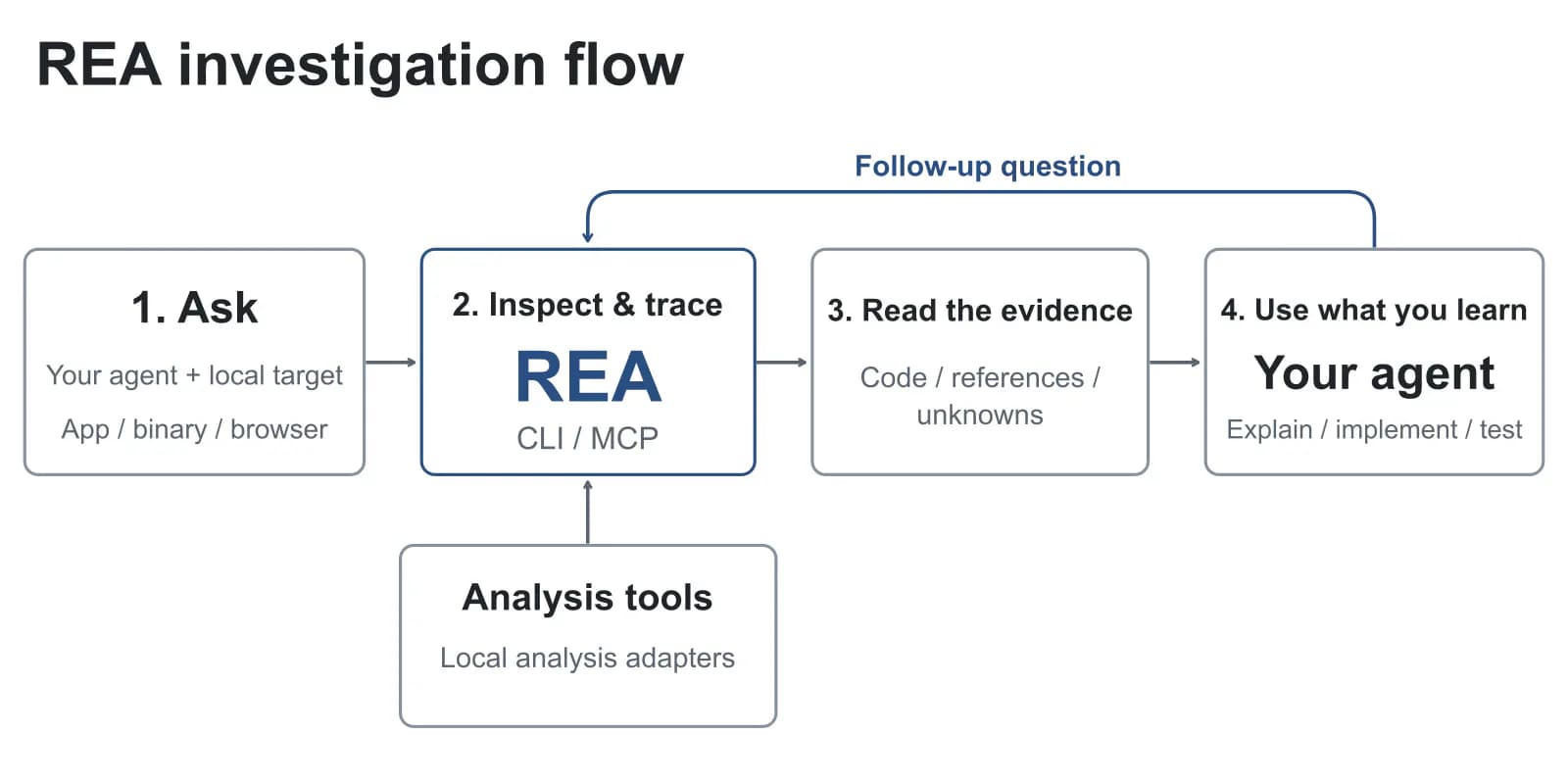
REA is a local MCP server and command-line toolkit for reverse-engineering research. An agent can inspect a target through REA, then follow up on returned code clues, references, and unknowns. It suits authorized software audits, interoperability work, and debugging. AI-generated interpretations still need independent verification.
Core capabilities
Native-target analysis
Uses a configured Hopper, Ghidra, or IDA installation to retrieve pseudocode, assembly, symbols, and references.
Application structure mapping
Maps modules, imports, and IPC clues in JavaScript or Electron directories and ASAR targets.
Evidence-led follow-up
An agent receives analysis findings and their sources over MCP before deciding what to verify or implement next.
Setup and connection
Check your Node.js version and target-specific tools, then run REA's interactive setup. Select only the agents you intend to connect, review the configuration changes, approve them, and restart the agent.
Let an AI Agent install it
Send this prompt to Codex, Claude Code, or another AI agent that can work with your local environment.
Help me install REA (Reverse Engineer Anything) from https://github.com/morluto/rea . First read README.md, docs/installation.md, SECURITY.md, and DISCLAIMER.md. Check the Node.js requirements and my authorized target scope. Preview changes with rea setup --client codex --skill=false --dry-run, then, only after I approve the exact configuration changes, run the documented npx rea-agents@latest setup. Restart Codex and check with rea doctor --client codex --json. Ask before requesting credentials, extra permissions, installing Hopper, or overwriting files. Do not analyze unauthorized targets.- Node.js 22.x >=22.19, 24.x >=24.11, or 26+, plus npm.
- An authorized local target; deep native-binary analysis also requires a lawfully obtained Hopper, Ghidra, or IDA installation.
- On Linux, Ghidra, JADX, and static JavaScript workflows require a procps-compatible ps on PATH.
npx rea-agents@latest setup- 1Check prerequisites and authorization
Verify Node.js and npm, confirm your authority to inspect the target, and prepare any analysis engine required for that target type.
- 2Preview and apply agent setup
Optionally inspect the read-only plan with rea setup --client codex --skill=false --dry-run. Then run npx rea-agents@latest setup, select Codex, review the proposed changes, and approve them.
- 3Restart and check readiness
Restart Codex and run rea doctor --client codex --json. For static JavaScript analysis, the README also documents npx -y rea-agents@latest analyze-javascript-application /absolute/path/to/app --json.
After setup and an agent restart, run rea doctor --client codex --json. Check the selected Codex registration and available providers, then perform a small analysis on an authorized target. This page has not run that check for you.
- npm's download approval and REA's configuration approval are separate; setup backs up existing configuration.
- Installing only the workflow Skill does not register the MCP server.
- The main branch may describe features newer than the published npm package, so check the installed version.
Use cases
Map an authorized Electron app
Extract local module and IPC relationships, then check specific conclusions against the returned evidence.
Assist a binary audit
With a properly licensed analysis engine, inspect symbols, calls, and pseudocode, then manually verify important inferences.
Assessment
This assessment is based on the README, installation and security guides, release notes, and repository structure. REA was not installed or run for this listing. Its practical appeal is the combination of analysis entry points and evidence returned to an agent; configuration changes, target authorization, and external analyzers still require deliberate review.
Why it may be useful
- Both MCP and CLI entry points
- Setup documents previews, approvals, and backups
- The security policy states the non-sandbox boundary
What to know first
- Targets vary in external-tool and platform requirements
- AI-assisted findings require verification
- Runtime operations may affect external systems
README
REA (Reverse Engineer Anything)
Overview
REA connects local analysis of binaries, JavaScript applications, and other targets to MCP-capable agents, returning evidence and explicit unknowns. An MCP toolkit for analyzing binaries, applications, and runtime behavior.
Getting started
- Check your Node.js version and target-specific tools, then run REA's interactive setup. Select only the agents you intend to connect, review the configuration changes, approve them, and restart the agent.
- REA exposes analysis through MCP and a CLI, with traceable evidence in its output.
- Static JavaScript and Electron inspection does not require a native analysis engine; deep native-binary analysis needs Hopper, Ghidra, or IDA.
- After setup and an agent restart, run rea doctor --client codex --json. Check the selected Codex registration and available providers, then perform a small analysis on an authorized target. This page has not run that check for you.
Configuration
npx rea-agents@latest setup