
UI/UX Pro Max
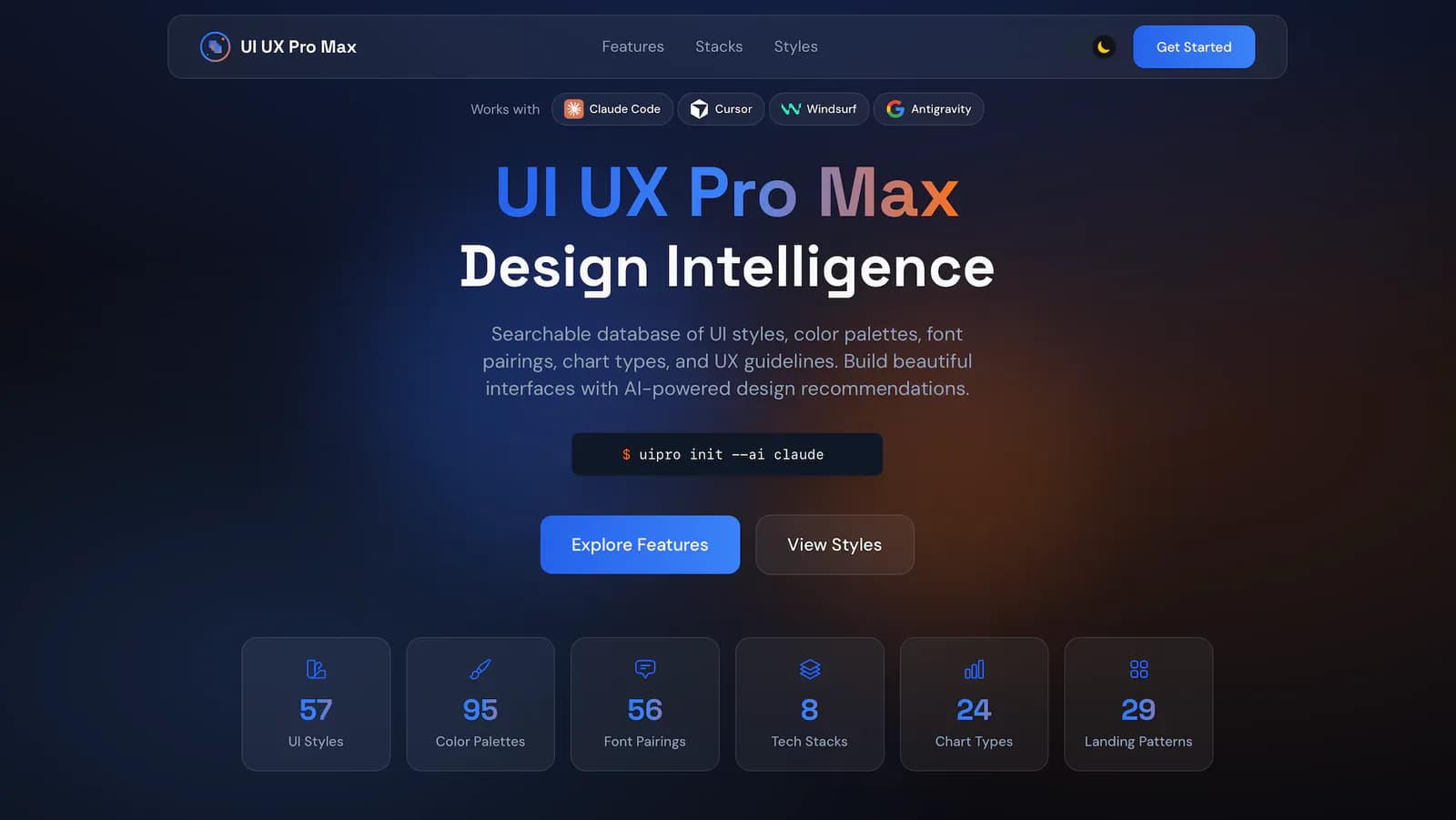
UI/UX Pro Max is an installable design-intelligence Skill for Codex, Claude Code, Cursor, and other AI coding assistants. It uses locally searchable data to generate product design systems and provide style, color, typography, interaction, accessibility, and implementation guidance across 22 stacks.
Project overview
UI/UX Pro Max is an open-source design-intelligence Skill maintained by NextLevelBuilder for Codex, Claude Code, Cursor, Windsurf, and other AI coding assistants. It packages product types, interface styles, palettes, typography, charts, UX rules, icons, and stack guidance into locally searchable data. Its search tool can assemble a design system or answer a focused design question. It is useful for new UI work, implementation, responsive fixes, and UX review, but every output still needs validation against real users, brand requirements, the repository, and target devices.
Core capabilities
Product design-system generation
Combines product, industry, and style terms into layout patterns, colors, typography, effects, and anti-patterns, with optional variance, motion, and density controls.
Local design-knowledge search
A Python tool searches bundled data for styles, products, palettes, typography, charts, UX, icons, animation, and landing patterns. The README says it uses the standard library and makes no network request during search.
Multi-stack implementation guidance
Documents guidance for React, Next.js, Vue, Nuxt, Angular, Svelte, Astro, Laravel, SwiftUI, Jetpack Compose, React Native, Flutter, Three.js, and several desktop frameworks.
UX and accessibility review
Prioritizes contrast, keyboard navigation, focus, touch targets, loading feedback, responsive reflow, and reduced motion. These rules still require real-world testing.
Design-system persistence
Can save MASTER.md and page-specific overrides for reuse across sessions, with default protection against overwriting an existing master unless --force is authorized.
Installation and usage
Use the official npm CLI to generate files for the selected host in the target project. Codex defaults to .agents/skills/ui-ux-pro-max. Global mode is available but expands the write scope to the user's home directory.
Let an AI Agent install it
Send this prompt to Codex, Claude Code, or another AI agent that can work with your local environment.
Install UI/UX Pro Max from https://github.com/nextlevelbuilder/ui-ux-pro-max-skill for Codex. First read README.md, README.zh.md, LICENSE, SECURITY.md, the latest release, the Codex platform template, and the CLI init/uninstall implementation. Confirm that the npm package is ui-ux-pro-max-cli, not the obsolete uipro-cli. Do not install silently: explain that the operation writes to .agents/skills/ui-ux-pro-max and wait for my confirmation. Do not use --global, --force, --legacy, or a GitHub token unless I explicitly authorize it. After installation, run only a design-system search that does not modify business code and list every added file. Stop and ask before overwriting an existing Skill, writing to the home directory, accessing a private repository, requesting credentials, installing extra dependencies, or changing project code.- Node.js and npm
- Python 3.x with no extra Python package
- A supported AI coding assistant
- Write access to the project or user configuration directory
Project URL: https://github.com/nextlevelbuilder/ui-ux-pro-max-skill
Copy the URL and follow the steps below to complete setup.- 1Confirm host and scope
Confirm Codex and choose a project-local install. Check .agents/skills for an existing directory or custom modifications.
- 2Install the official CLI
Run `npm install -g ui-ux-pro-max-cli`; do not install the deprecated uipro-cli package.
- 3Generate the Codex Skill
Run `uipro init --ai codex` from the project root. The default template generates the Skill and local search resources under .agents/skills/ui-ux-pro-max.
- 4Restart and verify safely
Restart Codex and ask for design-system guidance for a sample page without modifying business files. Check the product, palette, typography, layout, and stack match.
- 5Persist only when needed
Use --persist with an explicit project output directory when the system should survive across sessions. Read an existing MASTER.md first and do not use --force without authorization.
After running `uipro init --ai codex` in a test project, verify that `.agents/skills/ui-ux-pro-max/SKILL.md` and its scripts, data, or references exist. Restart Codex and request a design system for a sample internal dashboard without modifying code. Confirm that product, color, typography, and layout guidance is returned, then review it manually.
- The README recommends installing ui-ux-pro-max-cli and running `uipro init --ai codex`; an npx form is also supported.
- The old uipro-cli package is deprecated and should not be used.
- Default template installation can use assets bundled with the npm package; --legacy attempts a GitHub release download and falls back to bundled assets.
- Uninstall removes Skill directories after an interactive confirmation; back up custom files first.
Use cases
New product direction
Generate a starting point for palette, typography, layout, components, effects, and anti-patterns from a product type and audience.
Existing UI review
Check keyboard focus, contrast, touch targets, responsive reflow, form feedback, and navigation consistency.
Stack-specific implementation
After selecting the visual direction, retrieve implementation and performance guidance for Next.js, React, Vue, Flutter, or another supported stack.
Cross-page consistency
Save global rules in MASTER.md and add page overrides to reduce visual drift across agent sessions.
Assessment
Based on the README, Skill definition, data layout, Codex template, and CLI source, UI/UX Pro Max offers a practical way to turn common design decisions into locally searchable guidance. Separate paths for new systems, focused concerns, and implementation stacks are useful, and the Skill includes explicit safeguards for empty results, persistence, and accessibility priorities. The main risk is mistaking a large recommendation library for finished design work. Real products still require user research, brand judgment, code review, browser and device testing, and assistive-technology validation. This listing did not install or execute the Skill and did not verify every difference between the open-source and enhanced editions.
Why it may be useful
- Broad locally searchable design data
- Separate workflows for design systems and focused concerns
- Documented templates for Codex and many other hosts
- Accessibility, responsive, and interaction checks
- Persistence protects the existing master by default
What to know first
- A large rule set does not ensure relevance to a specific user
- Generated code and accessibility require real testing
- CLI, Skill, and release versions must be checked separately
- The open-source edition omits enhanced features listed in the README
README
UI/UX Pro Max
Overview
UI/UX Pro Max is an installable design-intelligence Skill for Codex, Claude Code, Cursor, and other AI coding assistants. It uses locally searchable data to generate product design systems and provide style, color, typography, interaction, accessibility, and implementation guidance across 22 stacks. An AI Skill that provides professional UI/UX design intelligence across platforms and frameworks.
Getting started
- Use the official npm CLI to generate files for the selected host in the target project. Codex defaults to .agents/skills/ui-ux-pro-max. Global mode is available but expands the write scope to the user's home directory.
- The README presents a searchable design database and system generator with 79 searchable UI styles, 192 product types and reasoning profiles, 74 font pairings, 25 chart types, 119 UX guidelines, and 22 stacks.
- Use --design-system to combine product, style, color, landing-page, and typography matches. Focused searches can target style, color, typography, chart, UX, icons, GSAP, or a specific stack.
- After running `uipro init --ai codex` in a test project, verify that `.agents/skills/ui-ux-pro-max/SKILL.md` and its scripts, data, or references exist. Restart Codex and request a design system for a sample internal dashboard without modifying code. Confirm that product, color, typography, and layout guidance is returned, then review it manually.
Configuration
Project URL: https://github.com/nextlevelbuilder/ui-ux-pro-max-skill
Copy the URL and follow the steps below to complete setup.