
aig-agent-redteam
A Tencent Zhuque Lab Skill for authorized assessment of AI agents, MCP servers, Skills, code, and AI infrastructure, with threat modeling, harmless proof, and evidence-backed reporting.
Project overview
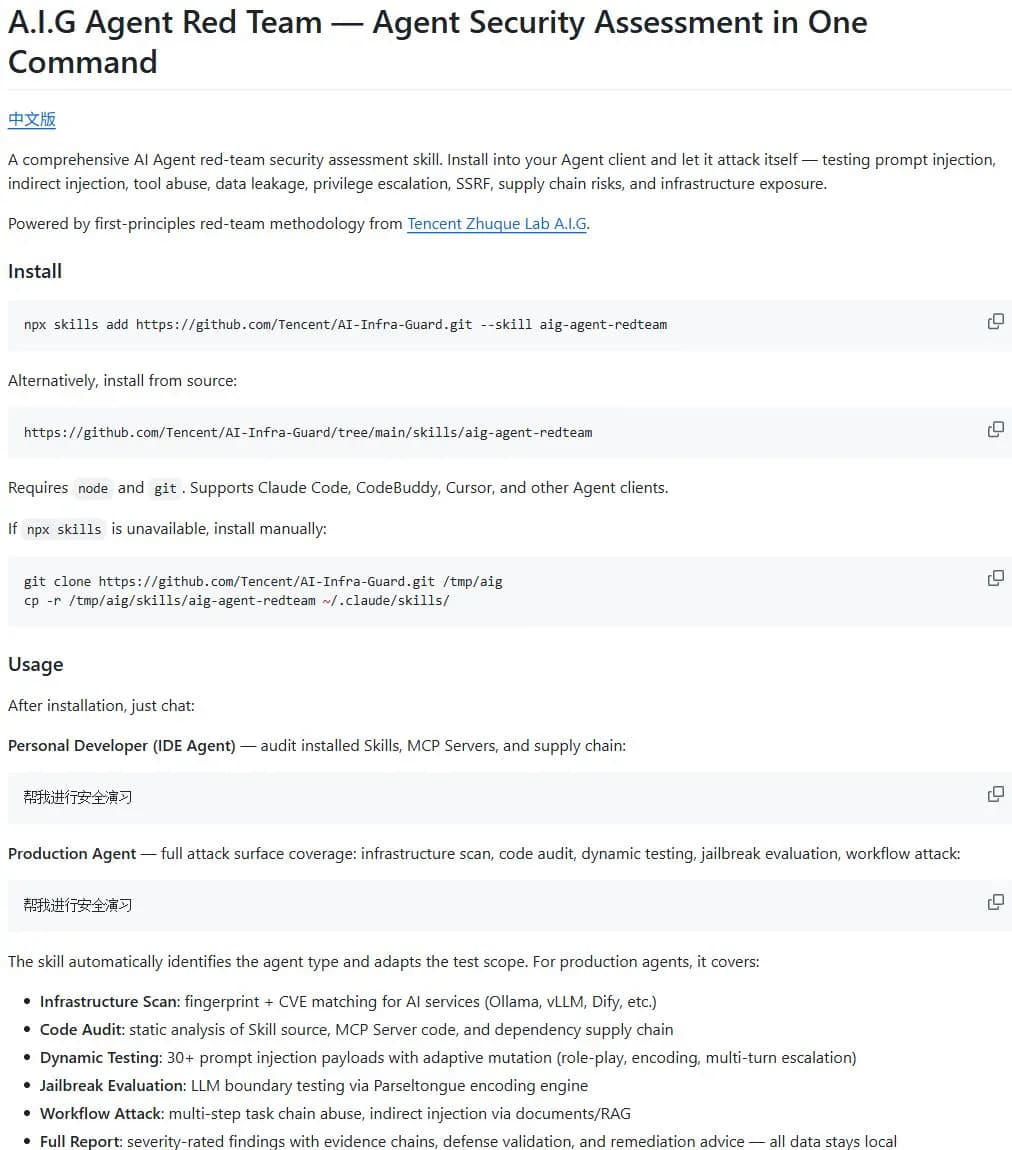
aig-agent-redteam is an Agent Skill maintained inside Tencent's AI-Infra-Guard repository. It makes authorization, target scope, trust boundaries, harmless proof, and evidence review part of the workflow before any conclusion is written. It can cover infrastructure, Skills, MCP servers, dependencies, prompt injection, jailbreak boundaries, and multi-step agent workflows.
Core capabilities
Threat modeling
Maps assets, attacker-controlled inputs, trust boundaries, and observable impact before selecting a test.
Code and supply-chain review
Reviews Skills, MCP servers, plugin code, and dependencies while separating static suspicion from reachable impact.
Adaptive dynamic testing
Tests prompt injection, jailbreaks, and tool-chain abuse inside an approved scope and adapts one variable at a time.
Evidence-backed reporting
Combines requests, responses, traces, impact, severity, and remediation into Markdown or HTML.
Installation and usage
Install the complete component with the documented skills CLI command. Before the first assessment, define ownership, scope, permitted network requests, and stop conditions.
Let an AI Agent install it
Send this prompt to Codex, Claude Code, or another AI agent that can work with your local environment.
Install aig-agent-redteam from https://github.com/Tencent/AI-Infra-Guard. Confirm the owner is Tencent and read skills/aig-agent-redteam/README.md, SKILL.md, and the helper-script documentation first. Use npx skills add https://github.com/Tencent/AI-Infra-Guard.git --skill aig-agent-redteam and install the complete component in the actual Skills directory. Reload the client and report the path, version, and file structure. Do not test any target. Ask before installing dependencies, overwriting files, reading outside the workspace, accessing the network, downloading AIG data, using credentials, sending test requests, or requesting elevated privileges. Run an assessment only after I identify a target I own or am authorized to test and approve the scope and stop conditions.- Node.js and npx
- Git
- An Agent Skills-compatible client
- Explicit authorization for the target
npx skills add https://github.com/Tencent/AI-Infra-Guard.git --skill aig-agent-redteam- 1Install the complete Skill
Run npx skills add https://github.com/Tencent/AI-Infra-Guard.git --skill aig-agent-redteam and select the current agent client.
- 2Verify the component files
Confirm that modules, scripts, phases, references, and assets were installed alongside SKILL.md.
- 3Define authorization and scope
Record ownership, allowed paths and URLs, time window, prohibited actions, and stop conditions before testing.
- 4Start with harmless proof
Use local mocks, markers, and temporary files before any wider dynamic coverage.
Reload the client, confirm the component includes SKILL.md, modules, scripts, phases, references, and assets, and use only an owned local test project for the first scope review.
Use cases
Pre-release agent assessment
Review tool permissions, prompt boundaries, data access, and multi-step workflows.
Skill and MCP supply-chain review
Compare declared behavior with reachable code and dependency operations.
Authorized AI infrastructure review
Combine service fingerprints with version, authentication, and reachability evidence.
Assessment
This catalog review is based on the component READMEs, Skill, modules, helper scripts, report requirements, and license. Authorization and harmless proof are first-class rules, but a full assessment can read code, contact services, run Python, and send test requests. It is suitable for experienced teams with explicit authorization, not casual testing of third-party systems. No installation or security test was executed for this listing.
Why it may be useful
- Authorization and harmless proof are explicit
- Covers agents, MCP, Skills, and infrastructure
- Separates suspicion from validated evidence
- Produces remediation-oriented reports
What to know first
- Broad permissions require careful approval
- Dynamic tests may trigger alerts
- Results depend on the host agent
- Installation and function remain untested here
README
aig-agent-redteam
Overview
A Tencent Zhuque Lab Skill for authorized assessment of AI agents, MCP servers, Skills, code, and AI infrastructure, with threat modeling, harmless proof, and evidence-backed reporting. An authorized red-team security assessment Skill for AI products, agents, MCP servers, Skills, code, and AI infrastructure.
Getting started
- Install the complete component with the documented skills CLI command. Before the first assessment, define ownership, scope, permitted network requests, and stop conditions.
- The official README provides a skills CLI command and lists Node.js and Git as requirements.
- The main Skill requires authorization, scope, harmless markers, and concrete evidence for findings.
- Reload the client, confirm the component includes SKILL.md, modules, scripts, phases, references, and assets, and use only an owned local test project for the first scope review.
Configuration
npx skills add https://github.com/Tencent/AI-Infra-Guard.git --skill aig-agent-redteam