
dsh-android
Connect Android emulators or USB phones to DeepSeek Harness through adb, view a live stream, interact with the UI, build Gradle projects and inspect logcat, processes and memory.
Project overview
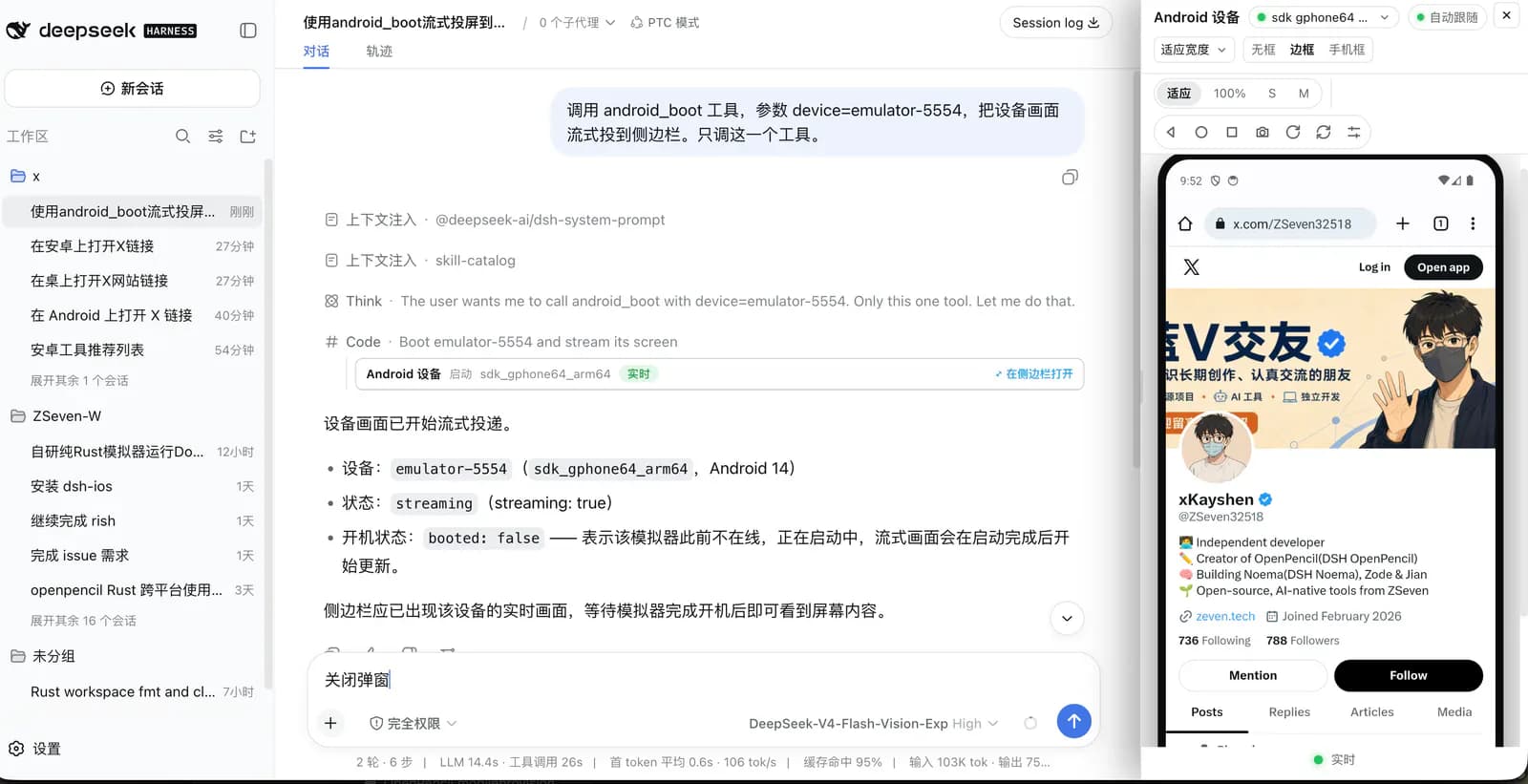
dsh-android lets DeepSeek Harness control Android devices through adb while displaying a continuously updated sidebar. Emulators and USB phones use the serial returned by adb, without dependence on one emulator vendor. App launching, Gradle builds, UI trees, logs and memory inspection support development feedback inside a conversation. OCR uses Apple Vision and must not be described as cross-platform.
Core capabilities
One path for emulators and phones
android_devices lists online devices and available AVDs. android_boot streams an online serial or launches a named AVD first.
Live display and navigation
A persistent adb capture process generates a PNG stream without a separate streaming service. The sidebar supports taps, drags, Back, Home and Recents.
UI automation and OCR
uiautomator supplies resource-id, text and content-description selectors; row tools operate on lists. OCR find, tap and wait tools are macOS-only.
Build, logs and memory
android_build_run builds a Gradle debug APK, installs it and launches the app. Logcat, process and meminfo tools expose runtime information.
Installation and usage
Make a device visible to adb before installing the plugin. Device discovery, live display and UI-tree inspection provide a minimal check without configuring OCR.
Let an AI Agent install it
Send this prompt to Codex, Claude Code, or another AI agent that can work with your local environment.
Install dsh-android from https://github.com/ZSeven-W/dsh-android . Read README, package.json and LICENSE. Check Node.js ≥24.11.0, DSH Web, adb and an online device. Run `dsh plugin --profile web add @zseven-w/dsh-android@latest` and start or restart `dsh web`. Call android_devices and use only a returned serial; verify streaming with android_boot and inspection with android_ui_tree. Do not attempt Apple Vision OCR on Windows/Linux. Ask before credentials, additional permissions, USB debugging approval, ADBKeyboard installation, overwriting files or real-account actions. Do not send messages, make purchases or install unknown APKs as tests. Report observed results and anything unverified.- Node.js ≥24.11.0 and a working DeepSeek Harness Web installation
- Discoverable adb from Android SDK platform-tools
- An online emulator or USB phone with debugging authorized
- An emulator launcher is needed only for starting by AVD name; OCR additionally needs macOS
dsh plugin --profile web add @zseven-w/dsh-android@latest
dsh web- 1Prepare adb and a device
Install Android SDK platform-tools using the documented `sdkmanager "platform-tools"` if applicable. Put adb on PATH or set ADB to its path. Start an emulator or connect a USB phone and approve debugging on the phone.
- 2Install and load Web
Run the documented commands: ```sh dsh plugin --profile web add @zseven-w/dsh-android@latest dsh web ``` Restart an existing service when appropriate.
- 3Open the device stream
Call android_devices, select an online serial and pass it to android_boot. Launching by AVD name may take several minutes on first boot.
- 4Verify UI inspection
Open Settings on the test device and read android_ui_tree. Confirm element identity before acting by resource-id or text; avoid signed-in accounts and payments during initial verification.
Call android_devices and confirm that the selected device is online and authorized. Pass its returned serial to android_boot, inspect the live sidebar and call android_ui_tree. Successful tool registration alone does not verify the device connection.
- Accept the USB debugging prompt on an unauthorized phone.
- Without ADBKeyboard, non-ASCII input is refused; do not assume CJK text was entered.
- An emulator started through Android Studio can be targeted by its online serial.
Use cases
Inspect Android app screens
Build your own Gradle project and review interactions using device pixels and element identities.
Investigate runtime issues
Combine the live display, logcat and meminfo to gather evidence for a reproducible problem.
Assessment
This assessment uses the README, manifest, license and commit history, without installation or physical-device testing. One adb identity model simplifies emulator and phone workflows, while UI-tree tools help confirm action targets. Host-specific OCR, input-method dependencies and non-root debugging permissions remain important limits; this is not a guarantee of a complete mobile testing platform.
Why it may be useful
- Emulators and USB phones share the adb serial model
- Live pixels, structured UI inspection and logs in one conversation
What to know first
- Windows and Linux cannot use the 3 Apple Vision OCR tools
- CJK and emoji input require ADBKeyboard installed and selected on the device
- android_shutdown cannot power off a phone; non-root devices may deny ANR trace access
README
dsh-android
Overview
Connect Android emulators or USB phones to DeepSeek Harness through adb, view a live stream, interact with the UI, build Gradle projects and inspect logcat, processes and memory. Connect Android emulators or USB phones to DeepSeek Harness through adb, view a live stream, interact with the UI, build Gradle projects and inspect logcat, processes and memory.
Getting started
- Make a device visible to adb before installing the plugin. Device discovery, live display and UI-tree inspection provide a minimal check without configuring OCR.
- adb is resolved from the ADB variable, PATH or SDK directories. Tools remain registered without adb but return an explicit error.
- A persistent capture process produces PNG frames served through signed DSH routes. USB transport and screen resolution affect frame rate.
- Call android_devices and confirm that the selected device is online and authorized. Pass its returned serial to android_boot, inspect the live sidebar and call android_ui_tree. Successful tool registration alone does not verify the device connection.
Configuration
dsh plugin --profile web add @zseven-w/dsh-android@latest
dsh web