
Humanizer
Humanizer gives an AI assistant editing rules for reducing vague claims, repetition and chatbot filler. Upload the repository ZIP in Claude Desktop or use a documented agent installation route, then provide a draft and an optional sample of your own writing.
Project overview
Humanizer is for writers who already have a draft and want clearer prose. It provides a rewrite-and-review process with explicit factual safeguards. We reviewed the README and SKILL.md; this is a documentation-based guide, not a hands-on test.
Core capabilities
Reduce inflated and repetitive wording
The rules address inflated claims, vague attribution, repetitive structures and conversational filler. Missing source material must still come from the writer.
Preserve claims and the writer's voice
The skill prohibits inventing names, dates, numbers, quotes, citations or experiences. A supplied writing sample takes priority over default style preferences.
Handle pasted text and file edits
The README distinguishes pasted drafts from files. File mode is intended to change prose while preserving code, data and link targets; inspect the resulting diff.
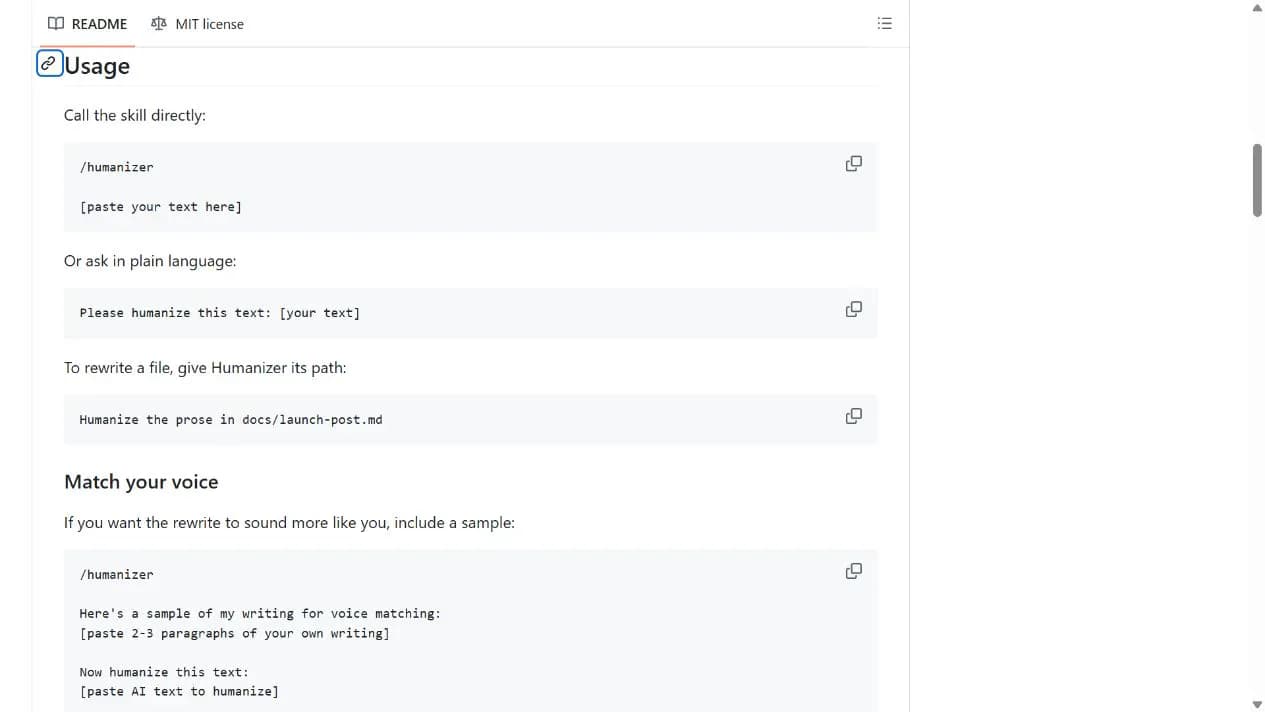
Installation and usage
Start with the repository ZIP in Claude Desktop and a short, non-sensitive draft. The Skills CLI route is optional for users who already have the required command-line environment.
Let an AI Agent install it
Send this prompt to Codex, Claude Code, or another AI agent that can work with your local environment.
Help me set up Humanizer from https://github.com/blader/humanizer. Read Installation and Usage in the README and inspect SKILL.md. Prefer explaining the repository-ZIP upload route in Claude Desktop; only run the documented Skills CLI command if I choose that route. Use a non-sensitive draft I supply to verify preservation of names, dates and numbers, and report what was actually tested. Ask before credentials, additional permissions, private-file uploads or overwriting files.- Claude Desktop with custom Skill support, or an agent environment already set up for the Skills CLI
- A draft you are allowed to process; optionally two or three paragraphs of your own writing
Project URL: https://github.com/blader/humanizer
Copy the URL and follow the steps below to complete setup.- 1Upload the Skill or choose the CLI route
Use the GitHub Code menu to download the repository ZIP, then upload and enable it in Claude Desktop's Skill interface as documented. For the optional CLI route, review the global scope before running the command in the acquisition panel.
- 2Supply the draft and a voice sample
Invoke /humanizer and paste a short draft. For voice matching, provide two or three paragraphs of your own writing before the draft. Exclude sensitive third-party material.
- 3Compare with the original
Check names, dates, numbers and citations. For file edits, work on a copy and review the diff before replacing the original.
Run /humanizer on a short paragraph containing a name, date and number. Confirm those facts survive, the rewrite includes the documented review, and no experiences are invented. The plugin route uses /humanizer:humanizer.
- The CLI example uses --global and affects user-level Skills; omit it for project-level installation as documented.
- The Claude Code plugin route specifies version 2.1.142 or later.
- Free repository content does not make the model service free; check custom Skill access and account requirements.
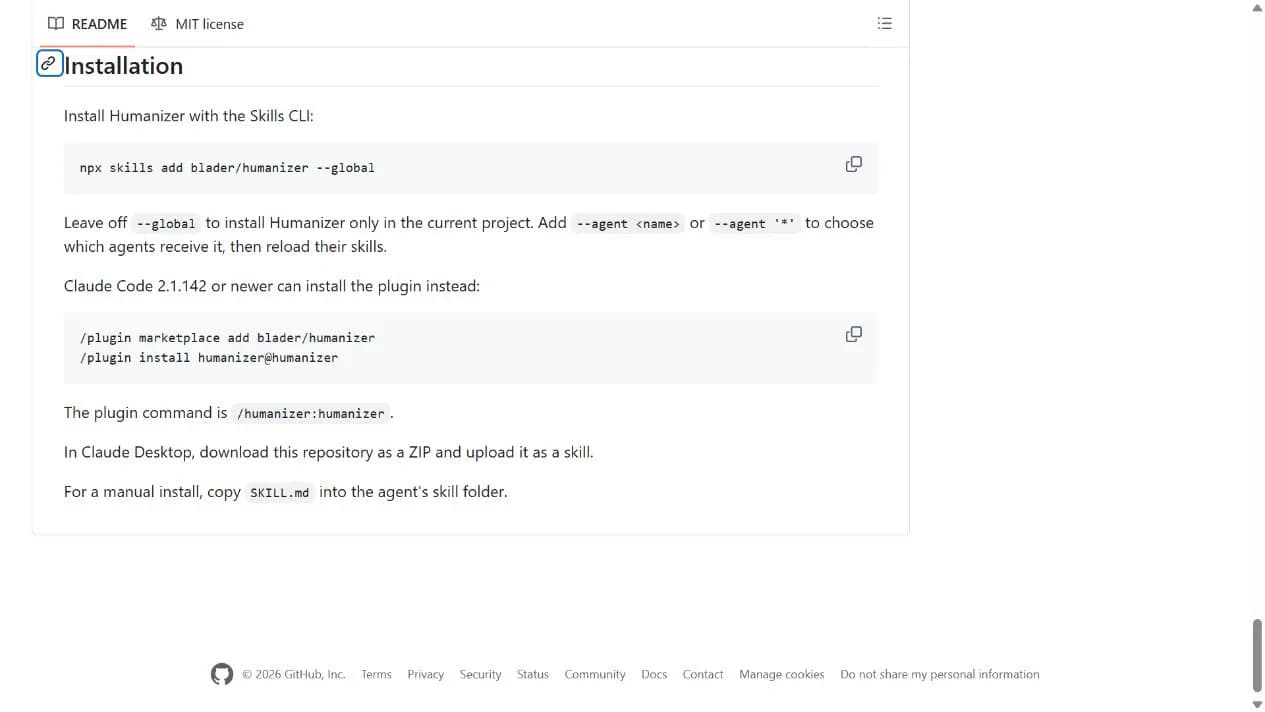
Use cases
Edit email or blog drafts
Make existing information clearer and remove redundant framing, then have the author review the result.
Retain a personal writing style
Supply your own previous writing so the assistant has an explicit reference for vocabulary and rhythm.
Assessment
The README, skill file and version notes describe a concrete editing checklist with explicit limits on invented facts. That makes the process inspectable, but does not guarantee natural prose, factual accuracy or authorship verification.
Why it may be useful
- Desktop ZIP setup does not require programming
- Readable and adjustable rules
- Explicit factual and voice safeguards
What to know first
- Results depend on the model and the supplied draft
- Many patterns target English prose; other languages still need editorial review
- No AI-detector or factual-verification guarantee
README
Humanizer
Overview
Humanizer gives an AI assistant editing rules for reducing vague claims, repetition and chatbot filler. Upload the repository ZIP in Claude Desktop or use a documented agent installation route, then provide a draft and an optional sample of your own writing.
Getting started
- Start with the repository ZIP in Claude Desktop and a short, non-sensitive draft. The Skills CLI route is optional for users who already have the required command-line environment.
- Humanizer packages an editing process as a Markdown Skill with 35 documented pattern checks.
- Desktop ZIP upload, Skills CLI and Claude Code plugin installation are alternative routes.
- Run /humanizer on a short paragraph containing a name, date and number. Confirm those facts survive, the rewrite includes the documented review, and no experiences are invented. The plugin route uses /humanizer:humanizer.
Configuration
Project URL: https://github.com/blader/humanizer
Copy the URL and follow the steps below to complete setup.