
IP as Logo
IP as Logo is an open-format Agent Skill that proposes three character directions, waits for approval, and then generates six independent square candidates. It uses bold silhouettes, three semantic colors, lower-corner composition, and a strict detail budget to keep characters simple and recognizable.
Project overview
IP as Logo is an Agent Skill for highly simplified, rounded character marks intended for company identity exploration. Instead of asking a model to draw an arbitrary cute logo, it extracts three directions from product purpose, audience, and personality, then waits for approval before generating six independent square candidates. Its visual rules emphasize about 4–7 large shapes, two character colors plus one solid background, lower-left or lower-right emergence, and a silhouette that remains recognizable at 32×32. The repository contains one instruction document and a showcase image, with no scripts or generation dependencies.
Core capabilities
Product context to three directions
When no subject is specified, the Skill can read relevant product-repository context. If information is insufficient, it asks one consolidated round of questions and ties three distinct characters or metaphors to product attributes and brand promises.
Six independent candidates
Accepting all three directions produces A1, A2, B1, B2, C1, and C2, testing each direction from both lower corners. The image model must not create a contact sheet.
Strict complexity budget
A character uses about 4–7 large shapes, at most one species-defining feature, no more than two internal color regions, and minimal facial marks while removing details that do not support identity or recognition.
Model-aware constraint delivery
Modern instruction-following models receive exclusions in the main prompt. A separate negative_prompt is used only when an older model explicitly supports that parameter, with the model and delivery mode recorded.
One-pass creative draw
Every candidate is generated once and preserved as returned. Background, color, composition, gradient, or dimensionality differences do not trigger automatic blocking or retries; a new draw requires an explicit request.
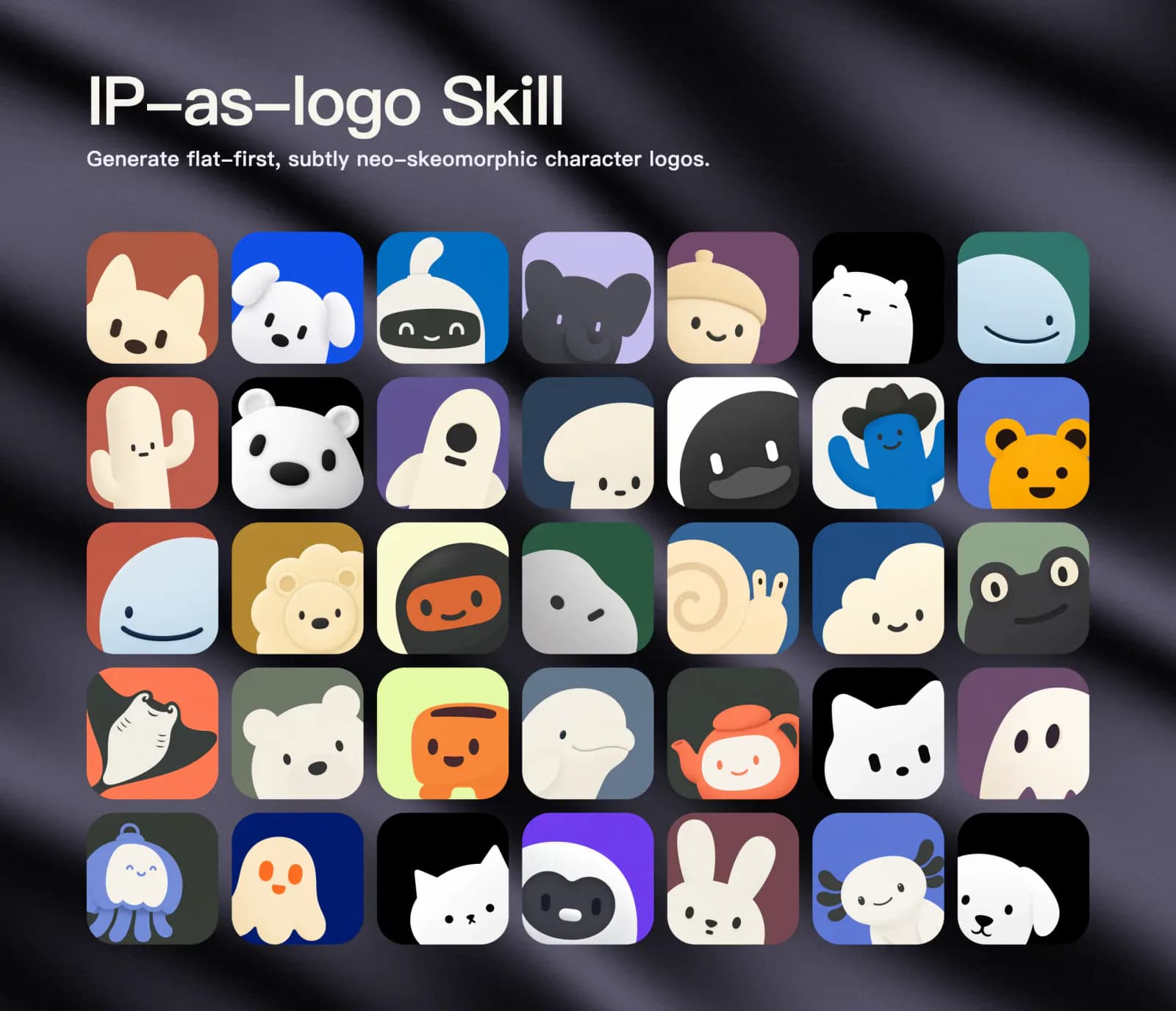
Installation and usage
Use the Agent Skills CLI to install the complete ip-as-logo directory from GitHub. The installer detects the root SKILL.md and lets you choose a compatible agent. Confirm the host's image model, then verify the three-direction approval flow with a no-generation request.
Let an AI Agent install it
Send this prompt to Codex, Claude Code, or another AI agent that can work with your local environment.
Install the IP as Logo Agent Skill from https://github.com/s1dashu/ip-as-logo-skill. Read README.md and the root SKILL.md first, then verify the repository, documented command, target agent Skills directory, and local Node.js/npx availability. Prefer project-level installation with npx skills@latest add s1dashu/ip-as-logo-skill; use --global only after I explicitly approve it. Confirm that the installed ip-as-logo directory includes SKILL.md and assets/ip-as-logo-wall.webp. Verify triggering with a minimal task that requests three directions but no image generation. Do not call a paid model or generate images as part of installation verification. Ask before requesting credentials, adding permissions, writing to a personal directory, overwriting an existing Skill, enabling an external tool, or incurring cost.- Node.js and npx available in the terminal
- A target host that supports the open Agent Skills format
- GPT Image 2, Seedance 5.0 Pro, Nano Banana Pro, Nano Banana 2, or another image model explicitly approved by the user
- Product purpose, audience, and personality information, or a specified character and background color
- A check for an existing ip-as-logo Skill in the target project or personal Skills directory
npx skills@latest add s1dashu/ip-as-logo-skill- 1Choose the install scope and check existing Skills
Decide between project and personal installation, then check the target agent for an existing ip-as-logo directory. Compare its source before overwriting anything.
- 2Run the documented installation
Use npx skills@latest add s1dashu/ip-as-logo-skill for the current project. Add --global only when cross-project use is intentional. The installer should detect the root SKILL.md and copy the complete directory and showcase asset.
- 3Confirm the image model and call boundary
Inspect the host's actual model and tool schema. If a preferred model is unavailable, ask before enabling a tool, requesting an API key, or using another model. Never guess parameters or silently generate SVG.
- 4Verify direction planning without generation
Provide product context or a subject and ask for three directions only. Confirm that the Skill proposes six independent candidates and waits for approval before an image call.
- 5Generate and review the delivery record
After approval, each candidate should be a separate full-resolution square with its label, direction, rationale, assigned corner, saved path, prompt and colors, and dimensions. The user reviews all results because the Skill does not automatically reject or retry them.
Ask the installed Skill to handle a minimal task such as: 'Design a highly simplified rounded ghost IP for a productivity tool on a solid deep navy background. Propose three directions only; do not generate images yet.' It should present three product-related directions and ask whether to generate six independent candidates before making an image call.
- Project installation: npx skills@latest add s1dashu/ip-as-logo-skill.
- Personal installation: npx skills@latest add s1dashu/ip-as-logo-skill --global; this affects multiple projects.
- If a preferred model is unavailable, do not silently fall back to SVG. Another model requires explicit consent and comes with no equivalent-quality guarantee.
- Before generation, confirm the three directions, six-image count, possible model charges, and rights to supplied material.
Use cases
SaaS or app character exploration
Turn product purpose, audience, and personality into three distinct character metaphors, then compare six candidates across silhouette, color, and lower-corner composition.
Multiple treatments of a chosen subject
Keep a specified ghost, animal, robot, plant, or object while varying silhouette treatment, secondary color region, defining feature, and personality emphasis.
Small-scale character marks
Use the black-silhouette check and 32×32 recognizability target to remove texture, decoration, fur details, and fragile tips.
Independent batch generation
In an agent runtime with concurrency, generate six separate full-resolution assets in waves from one shared brief instead of reducing quality through a contact sheet.
Assessment
Based on the README, full SKILL.md, and official showcase wall, IP as Logo is more than a style prompt: it defines direction discovery, approval gates, complexity limits, composition distribution, semantic color rules, and a delivery record. It also prohibits fabricated output, silent model fallback, and automatic retries. However, the Skill treats each generation as a stochastic creative draw and does not provide quality gates, transparent backgrounds, compliance screening, or trademark review. Brand use still needs human selection, rights review, and design refinement. This review did not install the Skill or call an image model.
Why it may be useful
- Clear approval gate between three directions and six generated candidates
- Specific complexity, color, composition, and small-size recognition rules
- Separates modern main-prompt constraints from legacy negative_prompt parameters
- Keeps every candidate independent and records labels, prompts, colors, paths, and dimensions
- Simple repository structure with no hidden scripts or generation dependencies
What to know first
- Does not automatically inspect, filter, retry, rank, or repair returned images
- Does not provide SVG, transparent backgrounds, or a complete brand system
- Output quality depends on the host's image model, and alternative models are not guaranteed to match
- Commercial-use and trademark rights for generated assets are not automatically covered by the repository's MIT license
- Installation and a real six-image generation run were not tested
README
IP as Logo
Overview
IP as Logo is an open-format Agent Skill that proposes three character directions, waits for approval, and then generates six independent square candidates. It uses bold silhouettes, three semantic colors, lower-corner composition, and a strict detail budget to keep characters simple and recognizable. A compact Agent Skill for highly simplified, rounded, subtly neo-skeuomorphic IP mascot logos.
Getting started
- Use the Agent Skills CLI to install the complete ip-as-logo directory from GitHub. The installer detects the root SKILL.md and lets you choose a compatible agent. Confirm the host's image model, then verify the three-direction approval flow with a no-generation request.
- The default workflow proposes three concise directions and a batch of six independent images. When all directions are accepted, each receives one lower-left and one lower-right variant.
- Each default image uses three semantic colors: two character base colors and one background that fills the square.
- Ask the installed Skill to handle a minimal task such as: 'Design a highly simplified rounded ghost IP for a productivity tool on a solid deep navy background. Propose three directions only; do not generate images yet.' It should present three product-related directions and ask whether to generate six independent candidates before making an image call.
Configuration
npx skills@latest add s1dashu/ip-as-logo-skill