
ExcelMcp
ExcelMcp connects real desktop Excel to MCP through the Microsoft Excel COM API, letting agents work with workbooks, formulas, charts, PivotTables, Power Query, DAX, VBA, and Python in Excel.
Project overview
ExcelMcp is a local MCP server for Windows desktop sessions. It drives real Microsoft Excel through the COM API instead of bypassing the application to edit workbook files directly. Agents can work with formulas, tables, charts, PivotTables, Power Query, DAX, VBA, and Python in Excel. That reach also inherits the current user's access to local files and Excel, so writes, saves, closes, and macros need explicit boundaries.
Core capabilities
Workbook and range automation
Create or open workbooks, bulk-read and write values and formulas, and manage named ranges, tables, styles, validation, and calculation state.
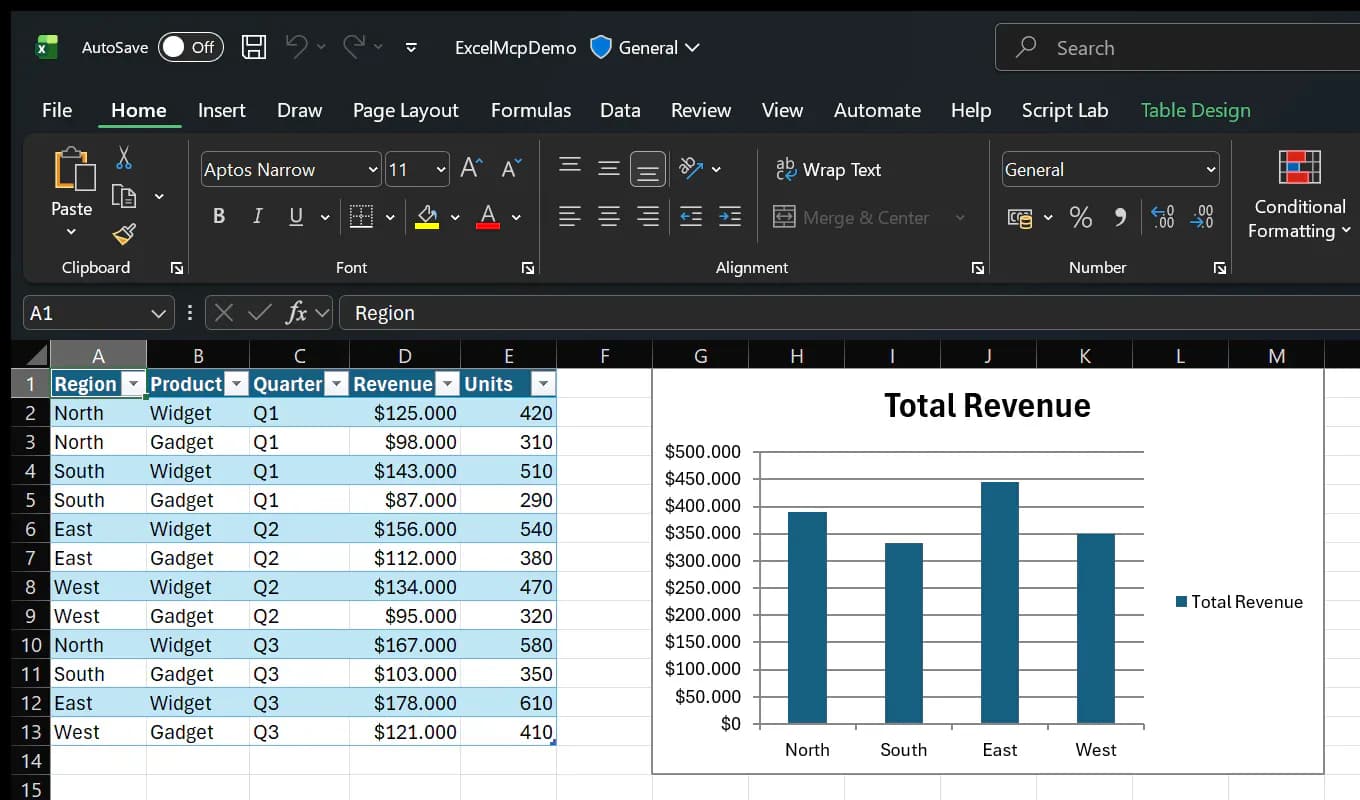
Reports, charts, and PivotTables
Manage chart lifecycles, trendlines, error bars, data labels, PivotTables, slicers, timelines, and formatting.
Power Query and the Data Model
Create, inspect, update, and refresh Power Query, manage connections and the Data Model, and run DAX queries when MSOLAP is installed.
VBA and Python in Excel
Manage VBA modules and run macros or invoke Microsoft's Python in Excel service, with distinct permission and data-flow boundaries.
Structured MCP results
The 2.1 line uses the official MCP SDK, publishes input and output schemas, and distinguishes argument, state, and execution failures.
Setup and connection
Confirm Windows, desktop Excel, and an interactive session first. Then choose the VS Code extension with its bundled server or an npx stdio configuration. Use an empty test workbook for the first check and avoid production files.
Let an AI Agent install it
Send this prompt to Codex, Claude Code, or another AI agent that can work with your local environment.
Help me install and configure ExcelMcp from https://github.com/sbroenne/mcp-server-excel. Read README.md, docs/INSTALLATION.md, docs/INSTALLATION-MCP-SERVER.md, PRIVACY.md, SECURITY.md, and LICENSE first. Confirm Windows 10+, Excel 2016+, an interactive desktop, and Node.js 18+ for npx. Ask which MCP client and configuration scope I want, and do not overwrite existing MCP settings. Prefer the documented `npx -y @sbroenne/mcp-server-excel@latest` stdio configuration; for VS Code, the bundled extension is also acceptable. After setup, create test.xlsx only in the nonsensitive directory I specify, list worksheets, write one value, read it back, and save. Do not open production workbooks, run macros, enable VBA project access, send M or DAX to external formatters, or invoke Python in Excel without separate confirmation. Report every changed configuration, command, path, version, and verification result.- Windows 10 or later
- Microsoft Excel 2016 or later
- Node.js 18 or later and network access for the npx route
- VS Code 1.107 or later for the extension route
- A nonsensitive test directory with target workbooks closed
{"mcpServers":{"excel-mcp":{"command":"npx","args":["-y","@sbroenne/mcp-server-excel@latest"],"env":{}}}}- 1Check Windows and Excel prerequisites
Verify Windows, Excel, and an interactive desktop session; also check Node.js 18+ and network access for npx.
- 2Back up and add MCP configuration
Back up the client's existing settings, set excel-mcp to use npx, and copy the documented package name and arguments.
- 3Restart the client and inspect the connection
Restart the MCP client and confirm the Excel tools appear; inspect client logs and version output if startup fails.
- 4Create an isolated test workbook
Create test.xlsx in a nonsensitive directory, record the returned session_id, and use only that session.
- 5Read back and end the session safely
Write and read one test value, then explicitly save and close; treat every close-without-save action as destructive.
Restart the MCP client and confirm excel-mcp is connected. Ask the agent to create an empty test.xlsx, list its worksheets, write one test value, read it back, and save. Passing requires the file and value to match without touching another workbook.
- Run `npx -y @sbroenne/mcp-server-excel@latest --version` to check package startup first.
- The VS Code extension bundles the MCP server and does not require a separate Node.js or .NET install.
- The NuGet route targets .NET 10 integration; ordinary MCP clients should prefer npx.
- The target workbook needs exclusive access and should be closed before verification.
Use cases
Automated analysis reports
Write structured data, add formulas, formatting, tables, and charts, and have a person review the workbook before saving.
Power Query refresh workflows
Create or update M queries, load results, and refresh connections while keeping optional external formatting under explicit consent.
PivotTable and DAX analysis
Build PivotTables, slicers, and Data Model measures and run DAX queries when MSOLAP is available.
Bulk updates inside Excel templates
Update designated ranges, formulas, and names while preserving an existing layout, then read back critical results.
Assessment
ExcelMcp's strongest point is its use of the official Excel COM API to operate the real desktop application, with common analysis and reporting work grouped into 31 tools and 387 operations. Its installation, privacy, and security documentation clearly describes local file permissions, anonymous telemetry, remote formatting, and Python in Excel data flows. The main constraints are Windows and desktop Excel, exclusive workbook access, no tool-level undo for destructive operations, and extra components or services for some advanced features. This review is based only on the public repository and releases, without installation on Windows.
Why it may be useful
- Broad coverage across workbooks, charts, PivotTables, Power Query, DAX, VBA, and Python in Excel
- Multiple installation routes with concrete client configuration examples
- Public SECURITY and PRIVACY documents covering permissions, telemetry, and external flows
- MIT license, frequent commits, versioned releases, and a substantial test structure
What to know first
- Works only with interactive Windows desktop Excel sessions
- Writes, saves, macros, and closes can create irreversible workbook changes
- Anonymous telemetry is present and some optional features reach external services
- Installation and functionality were not tested in this review
README
ExcelMcp
Overview
ExcelMcp connects real desktop Excel to MCP through the Microsoft Excel COM API, letting agents work with workbooks, formulas, charts, PivotTables, Power Query, DAX, VBA, and Python in Excel. Automate real Microsoft Excel with AI through an MCP Server or CLI, covering Power Query, DAX, VBA, PivotTables, charts, and 387 operations.
Getting started
- Confirm Windows, desktop Excel, and an interactive session first. Then choose the VS Code extension with its bundled server or an npx stdio configuration. Use an empty test workbook for the first check and avoid production files.
- The project groups 387 operations behind 31 domain-oriented MCP tools using action parameters.
- Workbook sessions can be created, opened, listed, saved, and closed; later calls must use the exact returned session_id.
- Restart the MCP client and confirm excel-mcp is connected. Ask the agent to create an empty test.xlsx, list its worksheets, write one test value, read it back, and save. Passing requires the file and value to match without touching another workbook.
Configuration
{"mcpServers":{"excel-mcp":{"command":"npx","args":["-y","@sbroenne/mcp-server-excel@latest"],"env":{}}}}